

Changelog | January, 2025
Support for OpenAI’s o3-mini
January 31st, 2025
We’ve added support for OpenAI’s o3-mini model and the o3-mini-2025-01-31 snapshot.
Support for PowerPoint Files in Document Indexes
January 31st, 2025
We now support uploading .pptx files to Document Indexes for indexing and searching.
Support for Perplexity Sonar Reasoning Model
January 29th, 2025
We’ve added support for the Perplexity Sonar Reasoning Model.
Support for DeepSeek R1 Distill Llama 70b via Groq
January 27th, 2025
We’ve added support for DeepSeek R1 Distill Llama 70b via Groq.
Support for pushing to a specific Workflow Sandbox or Workspace
January 28th, 2025
We’ve added two new options to the vellum workflows push command:
--workflow-sandbox-id- A specific Workflow Sandbox ID to use when pushing. This provides an alternative to the module name for identifying a Workflow to push.--workspace- A specific Workspace config to use when pushing. This provides an alternative to theVELLUM_API_KEYenvironment variable for identifying a Workspace to push a Workflow to.
These changes are now available in version 0.13.15 of the Vellum SDK.
Domain-Based Organization Join Policies
January 28th, 2025
We’ve completely redesigned the Organization Settings page to give organization administrators more control. Admins can now configure organization join policies and manage how new users are added to their organization.
With this, org admins can opt in to allow for new users with pre-approved email domains to automatically join the organization upon signup without needing to be manually invited.
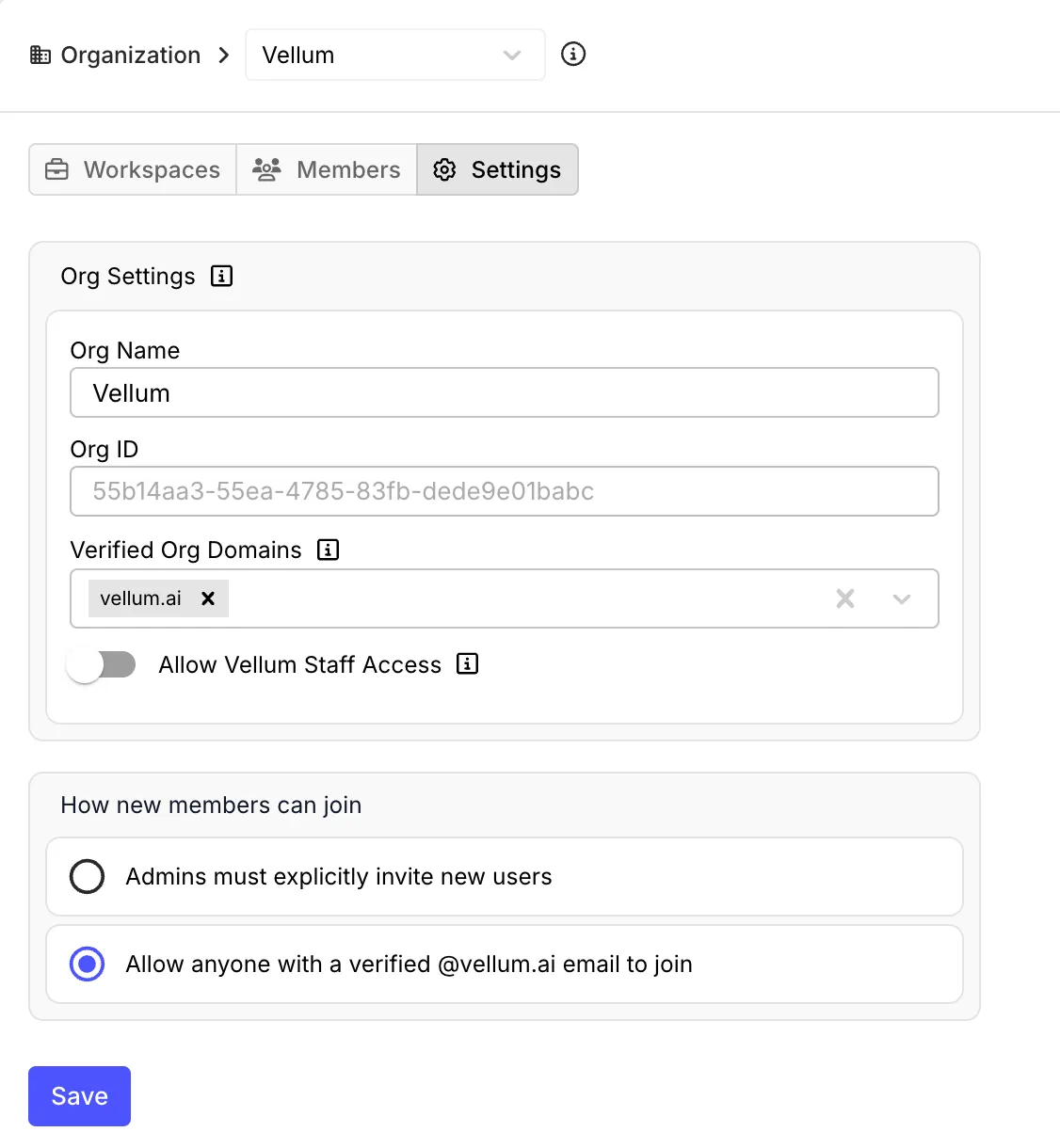
As an admin, you can add new email domains to the list of verified domains by selecting amongst email domains used by existing users in the organization.
Self-serve Organization Setup
January 28th, 2025
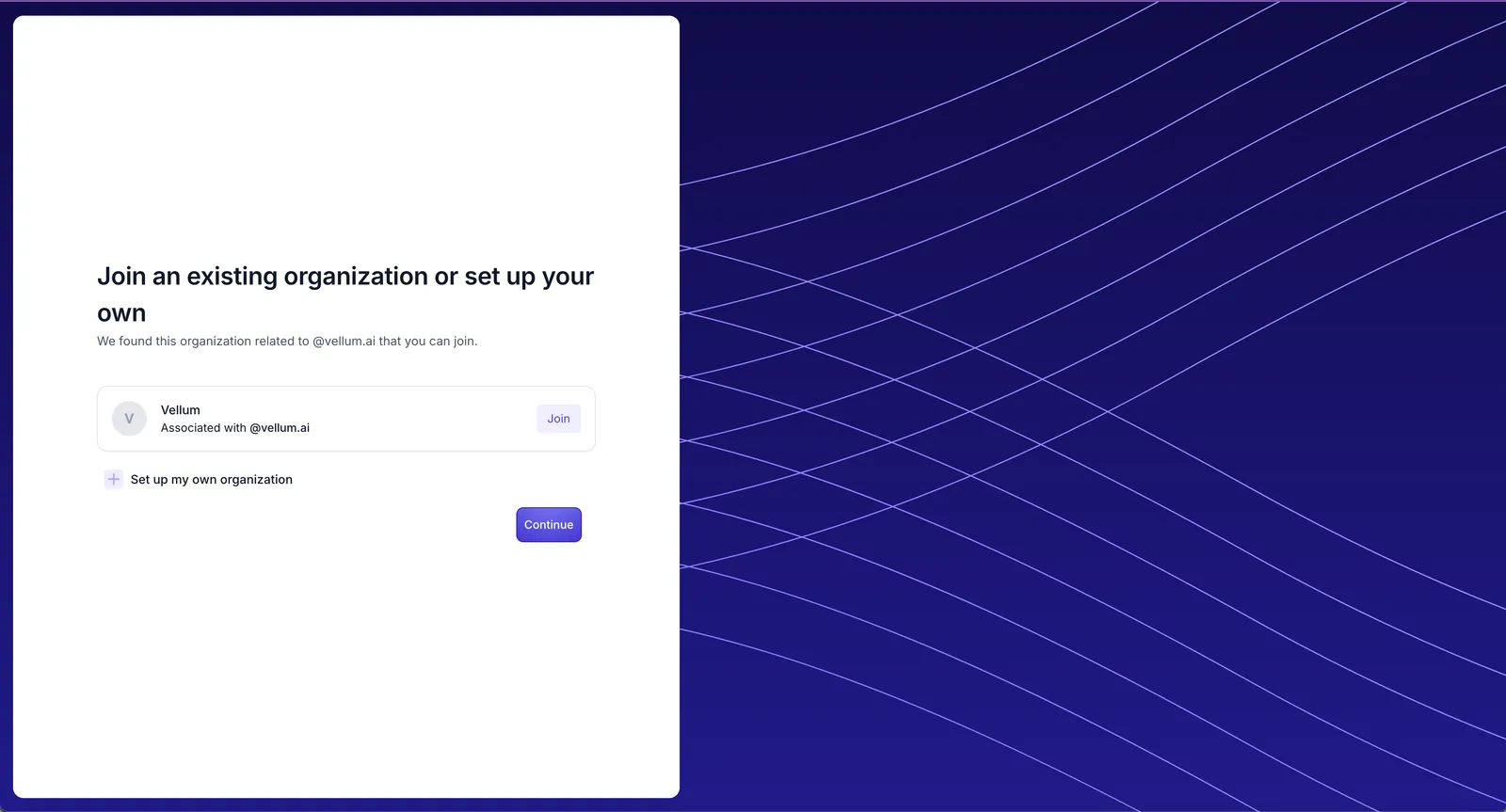
We’re excited to announce that organization setup is now fully self-service during user onboarding. New users can either create their own organization or automatically join an existing one based on their email domain if the organization allows for it.
Beta Release of SDK-Enabled Workflows
January 27th, 2025
Our engineering team has been hard at work on a new SDK for building AI-powered Workflows.
Today, we’re releasing our initial support for Workflows SDK within Vellum itself. You can invoke the Vellum CLI to pull Workflows defined
in the UI down as SDK code, make changes, and then push it back up to Vellum!
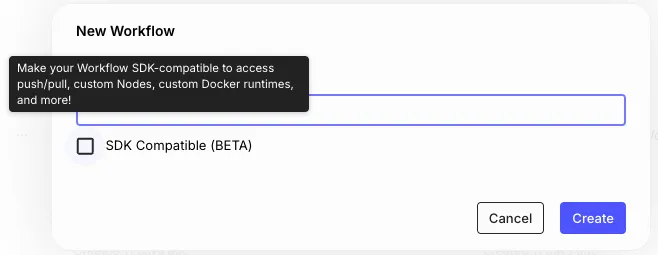
The SDK brings with it a full suite of new features to Vellum Workflows, including the ability to define your own Custom Nodes. In order to enable the infrastructure that power these new features on Vellum, simply check the “SDK Compatible” checkbox while creating a new Workflow:
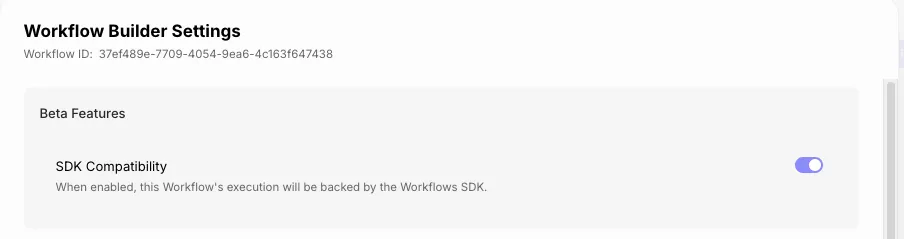
You can also convert existing Workflows to be SDK compatible by opting in via Workflow Sandbox Settings:
Workflows SDK and the infrastructure that powers it is still in active development. We would love to hear your feedback! We are giving active Vellum customers initial access to both while we gear up for a full public release in the coming weeks.
Support for Text Search on Documents List Endpoint
January 27th, 2025
We’ve added support for text search when listing Documents using the (search query parameter)[https://docs.vellum.ai/developers/client-sdk/documents/list#request.query.search].
This allows you to filter for Documents that contain the search query in their label or external_id.
This parameter is available starting in version 0.13.14 of the Vellum SDK.
Support for o1-mini (2024-09-12) on Self-Managed OpenAI on Azure
January 25th, 2025
We’ve added support for the o1-mini (2024-09-12) model on Vellum’s Self-Managed OpenAI on Azure integration.
Support for DeepSeek R1 via Together AI
January 24th, 2025
We’ve added support for DeepSeek R1 via Together AI.
Support for DeepSeek R1 via Fireworks AI
January 24th, 2025
We’ve added support for DeepSeek R1 via Fireworks AI.
Support for Newest Perplexity Models
January 23rd, 2025
We’ve added support for the newest Perplexity models, Sonar and Sonar Pro.
Support for Gemini Exp 1206
January 23rd, 2025
We’ve added support for Google’s gemini-exp-1206 model.
Support for DeepSeek Reasoning Model
January 22nd, 2025
We’ve added support for DeepSeek’s new reasoning model.
Prompt Node Cost and Model Name in Workflows
You can now see token cost and a model name in Prompt Node results
when invoking a Workflow Deployment via the Execute Workflow Stream API,
by passing in True to the expand_meta.cost or the expand_meta.model_name
Support for Gemini 2.0 Flash Thinking Mode
January 15th, 2025
We’ve added support for the Gemini 2.0 Flash Thinking Mode model.
Workflow Outputs Panel
January 10th, 2024
You’ll now see a new “Outputs” button that opens up the new “Workflows Outputs” panel in a Workflow Sandbox.
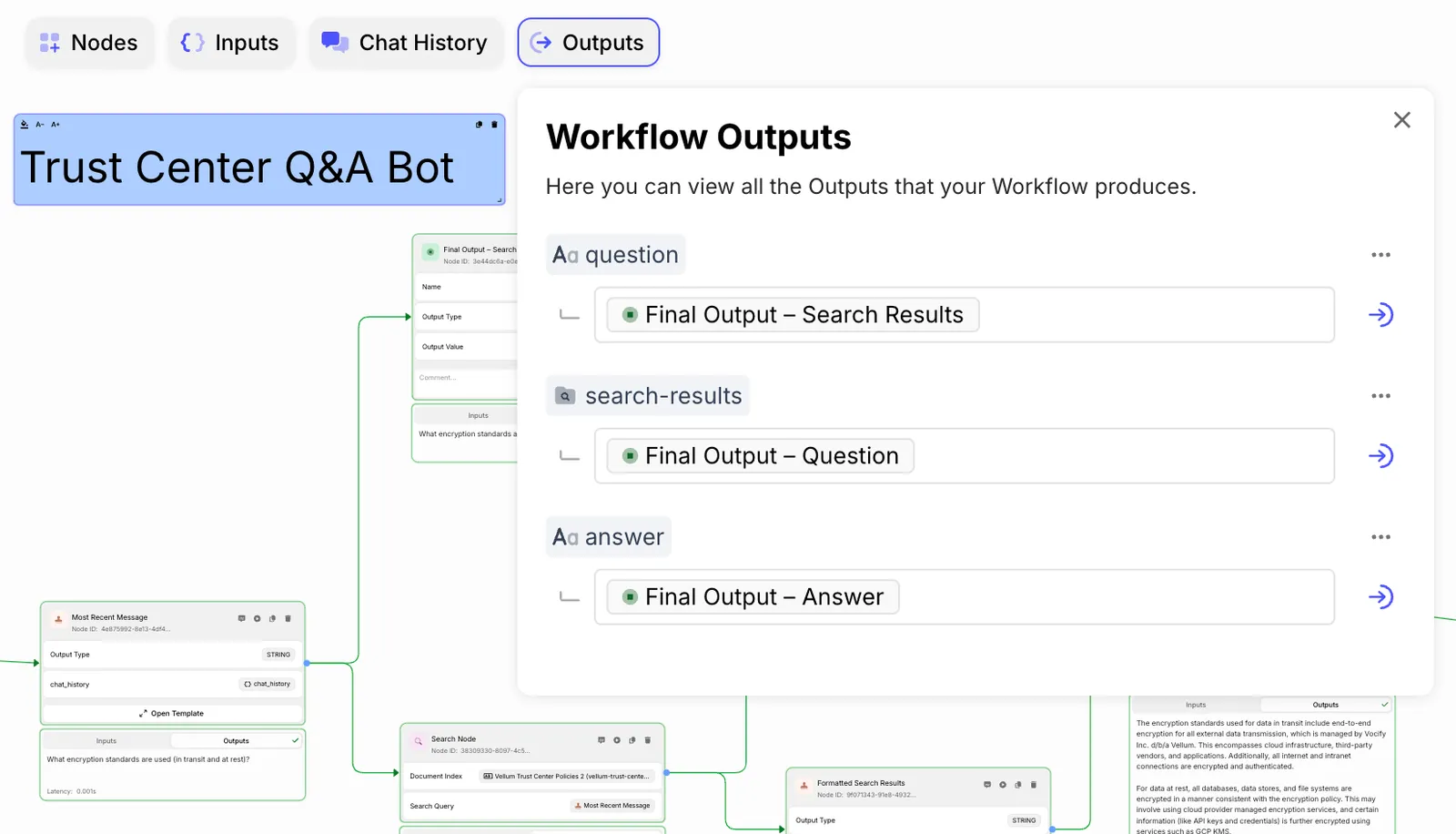
From here, you can see all the outputs that your Workflow produces, and easily navigate to the Nodes that produce them. In the coming weeks, you’ll also be able to directly edit your Workflow’s outputs from this panel.
Newly Added Support for Gemini 1.5 Flash
January 11th, 2025
We’ve added support for Gemini 1.5 Flash model that points to Latest Stable.
Newly Added Support for DeepSeek Models
January 2nd, 2024
We’ve added support for DeepSeek AI models.
Along with the launch of the DeepSeek integration, we’ve added support for DeepSeek V3 Chat.
Function Call Inputs in Chat Messages
January 2nd, 2025
There is now first-class support for Function Call inputs to Chat Messages. This allows you to simulate the behavior of a Function Call output from a model in Vellum as part of a message in Chat History.
To see this feature in action, check out the video below: