

November 2025
New Native Integrations
November 26th, 2025
We’ve added support for 5 new Native Integrations:
Multi-Modal Workflow Outputs
November 24th, 2025
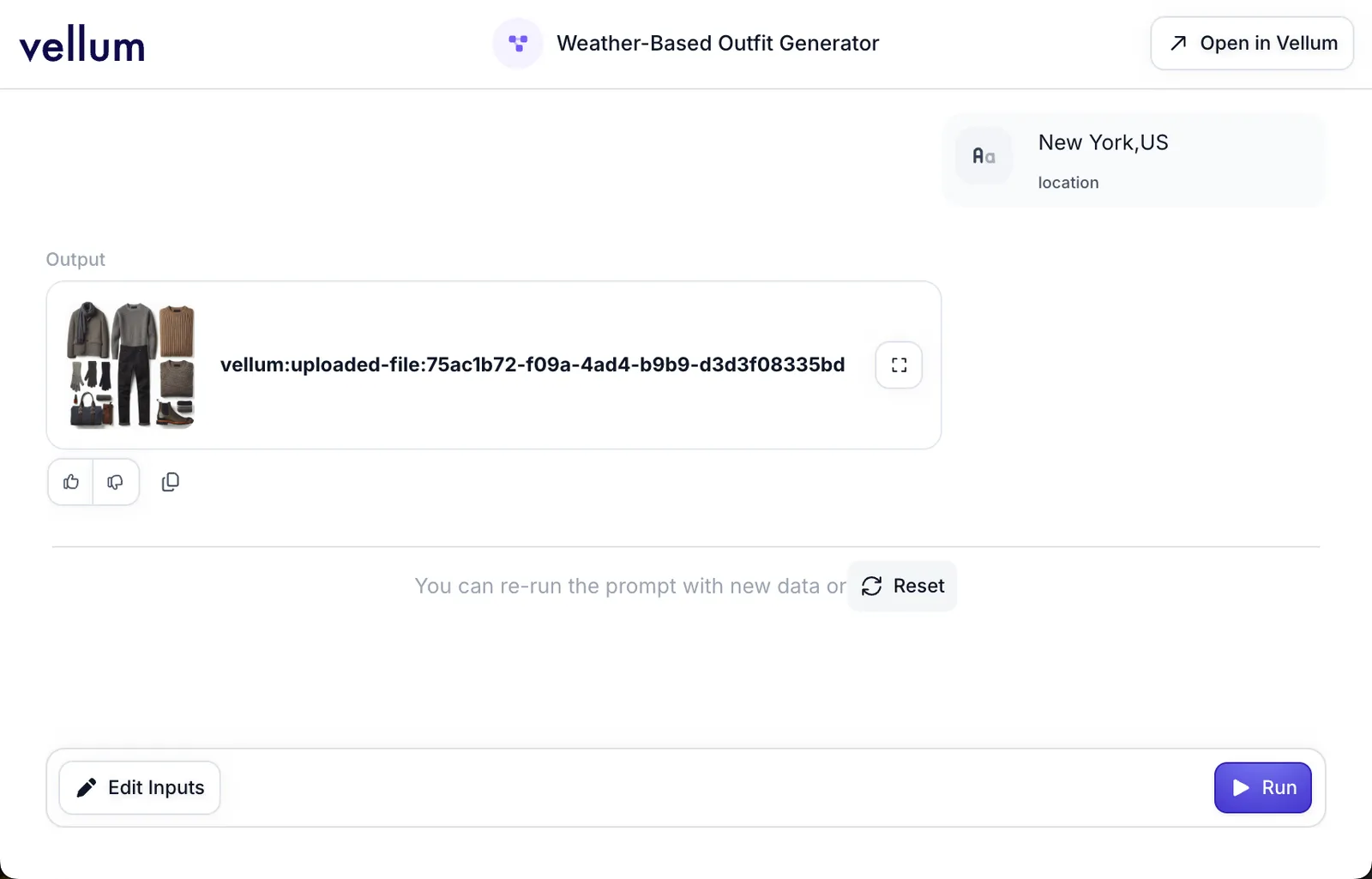
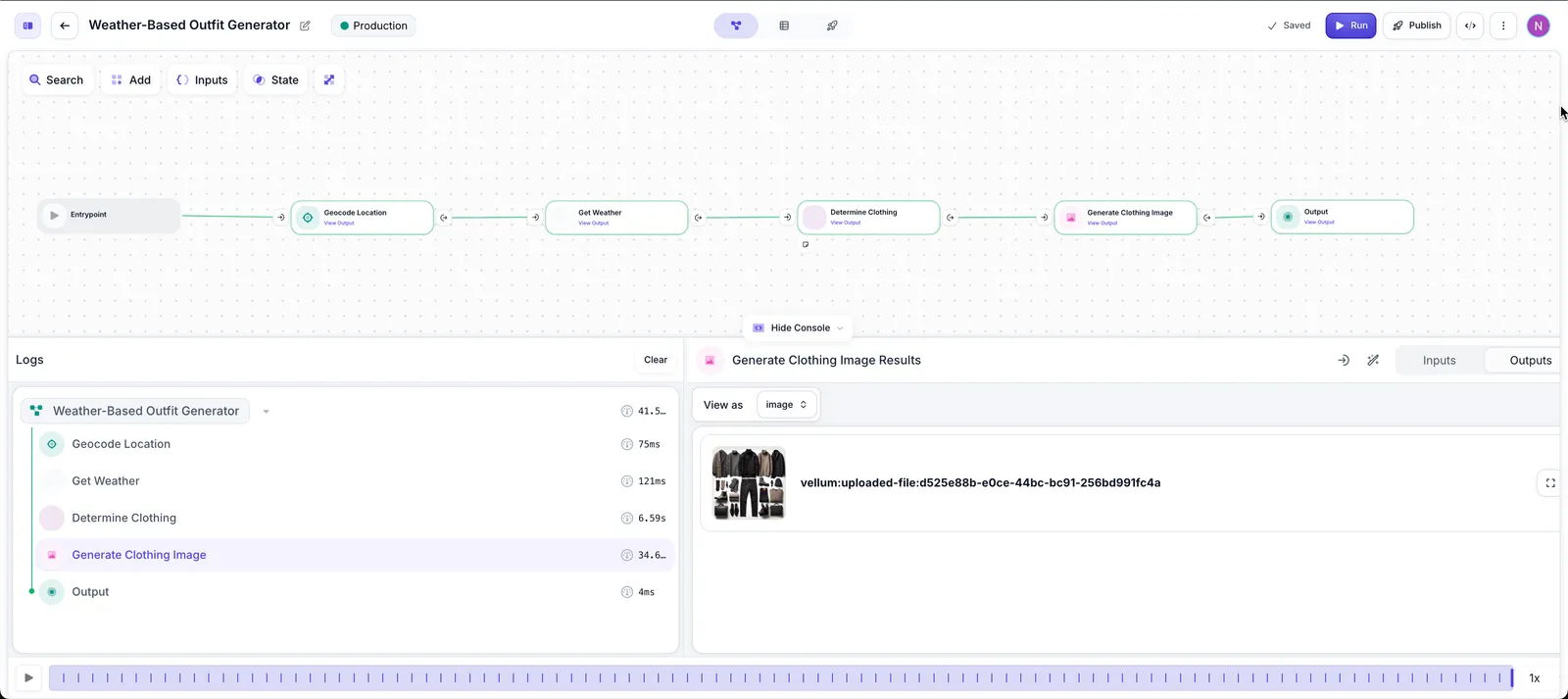
Workflows can now output documents, images, videos, and audio. The simplest way to build Workflows with multi-modal outputs is to use Agent Builder—describe what you want to create, and Agent Builder will generate Custom Nodes that integrate with the relevant generation APIs. Multi-modal outputs are displayed in the console, monitoring layers, and AI Apps.
New Workflow Sandbox Layout
November 24th, 2025
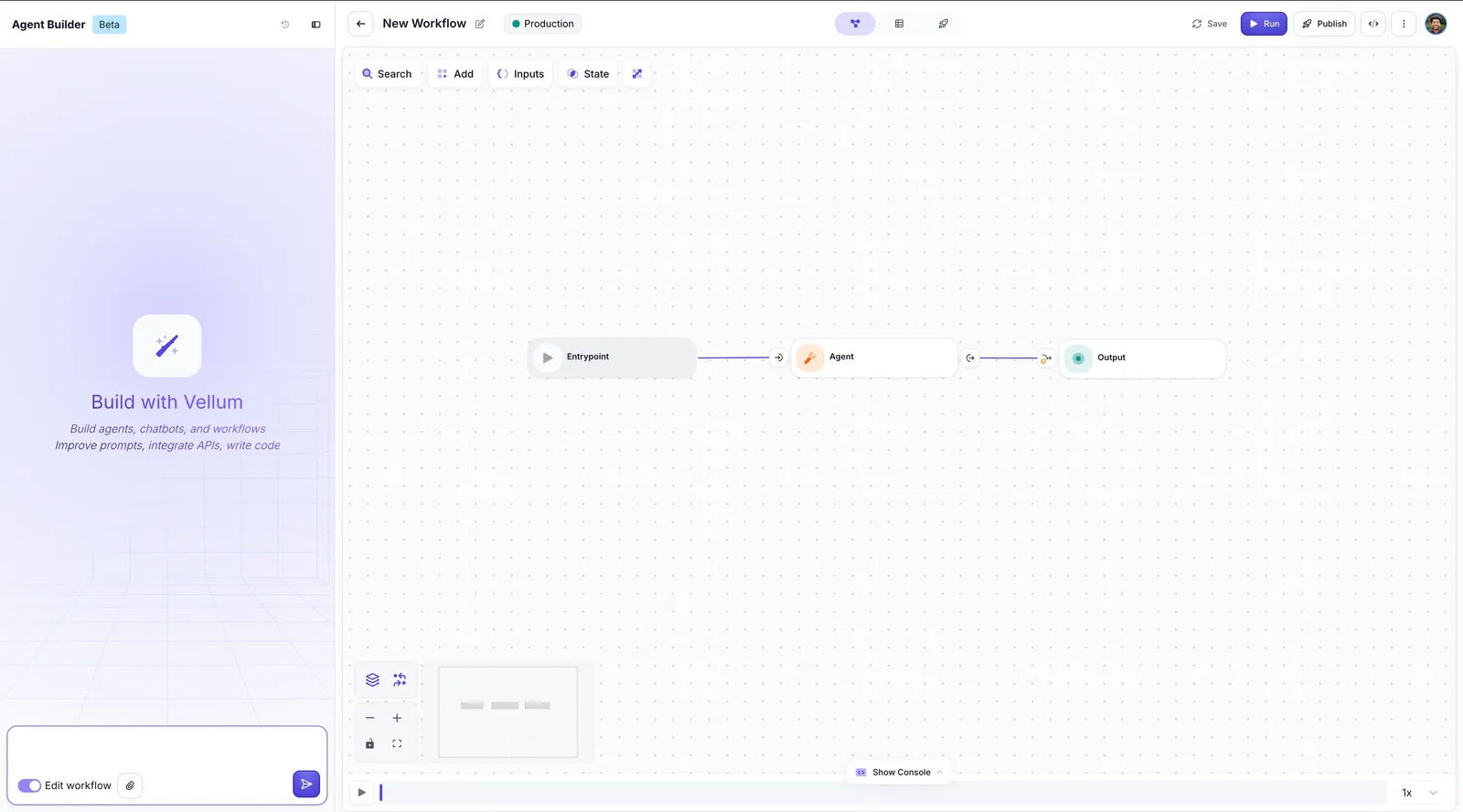
We’ve updated the Workflow Sandbox layout. The Agent Builder panel is now top-level, we’ve removed breadcrumbs, and simplified the navigation tabs to Sandbox/Evaluations/Deployments in the center, giving you more space for the canvas and console.
Workflow Comparison in Publishing Flow
November 22nd, 2025
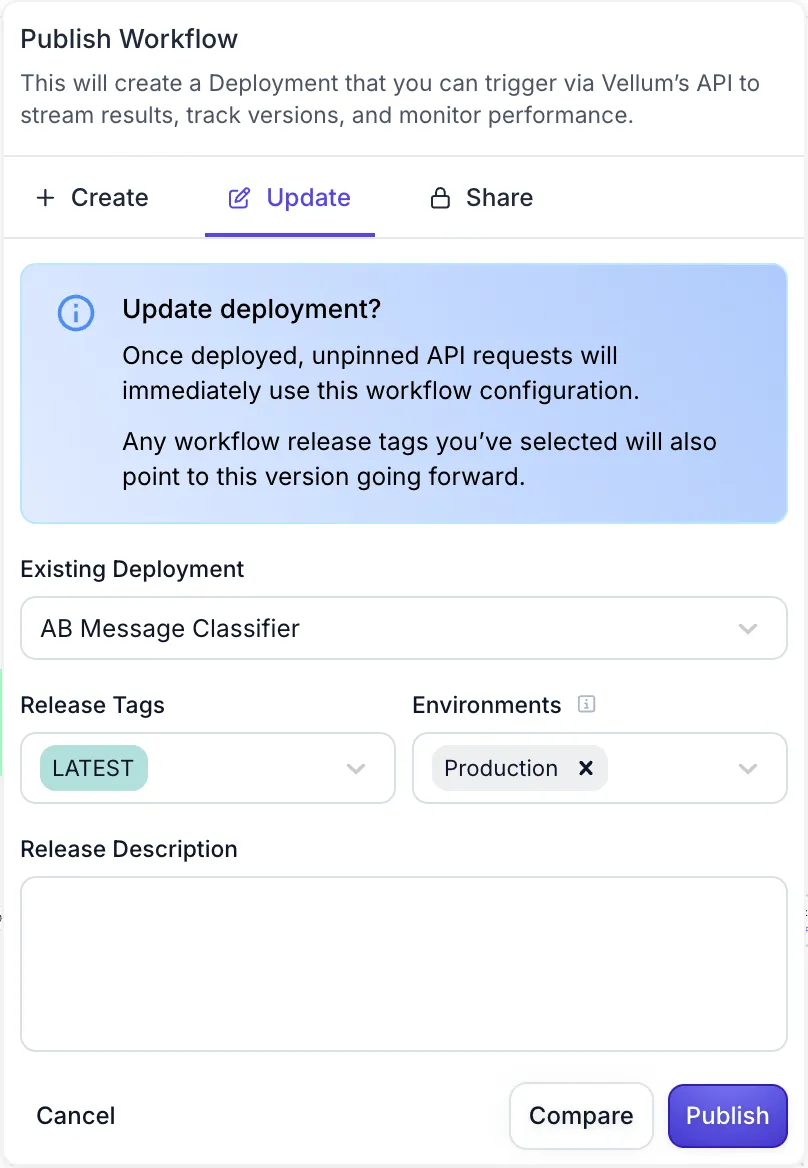
You can now click the “Compare” button when publishing a Workflow to see a code diff between your Sandbox and the latest deployed Release.
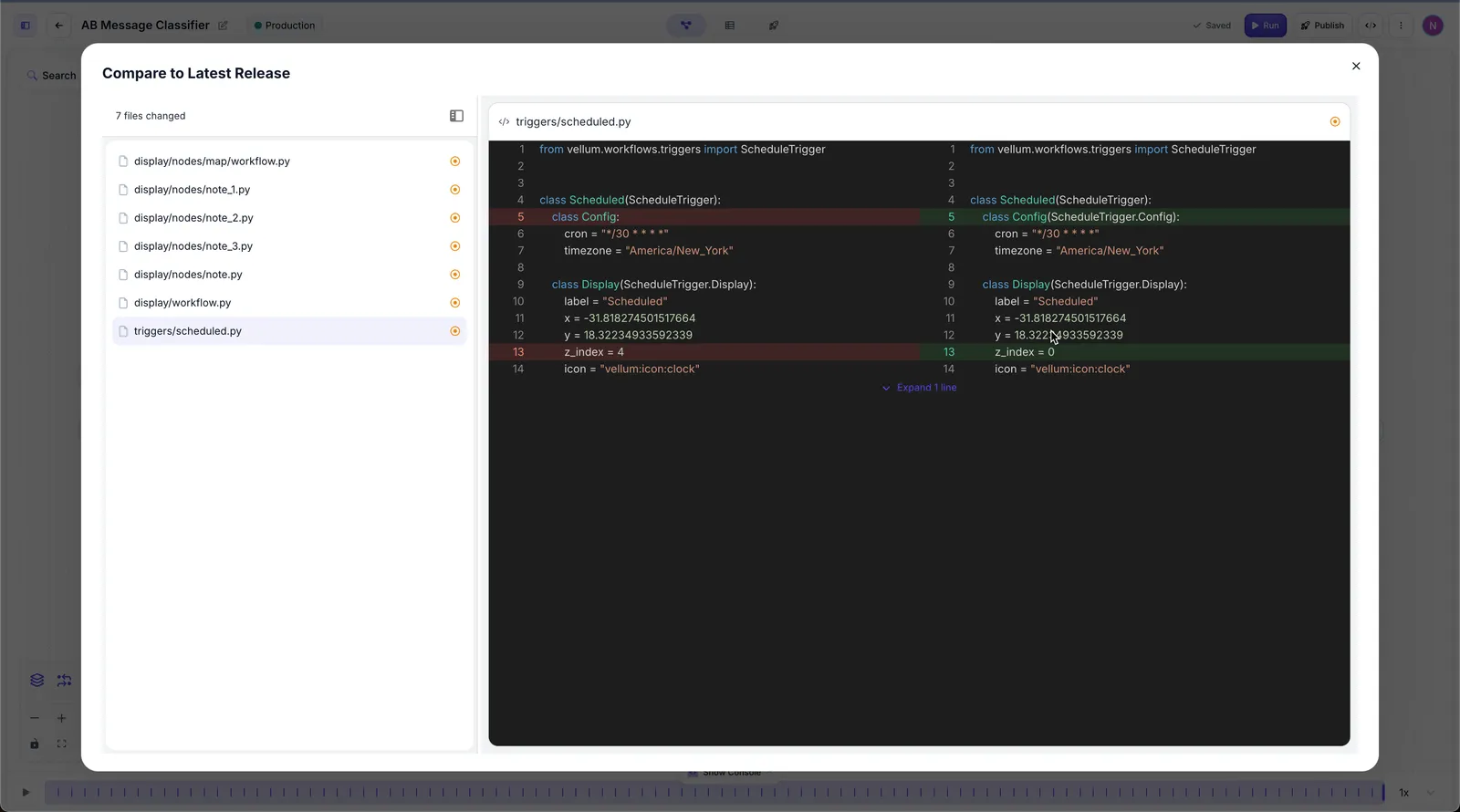
New Native Integrations
November 20th, 2025
We’ve added support for 27 new Native Integrations:
- AccuLynx
- Affinity
- AgencyZoom
- Ahrefs
- Brevo
- Canvas
- Coda
- Coinbase
- Fireflies
- Google Analytics
- Google Docs
- Google Slides
- Google Tasks
- Google Photos
- Google Search Console
- HeyGen
- JungleScout
- Klaviyo
- Linkup
- Listen Notes
- LMNT
- Semantic Scholar
- Shortcut
- YouSearch
- ZenRows
Support for Kimi K2 Thinking on Fireworks AI
November 19th, 2025
We’ve added support for Kimi K2 Thinking via Fireworks AI. This model provides advanced reasoning capabilities for complex problem-solving tasks.
Set State Node
November 19th, 2025
You can now add a Set State Node to your Workflows to update state variables during execution. This allows you to maintain and modify state across your Workflow runs, such as tracking counters, accumulating chat history, or storing intermediate values.
To use the Set State Node, add it to your Workflow and configure one or more state operations. Each operation specifies:
- State to update: Select the state variable you want to modify
- Value: Define the new value using expressions, variables, or operations like addition or concatenation
For example, you can increment a counter (counter = counter + 1) or append to chat history (chat_history = chat_history.concat(Agent.ChatHistory)).
Check Workflow Execution Status
November 19th, 2025
You can now check the status of a Workflow execution using the Check Workflow Execution Status endpoint. The endpoint returns the current execution state (PENDING, FULFILLED, REJECTED, etc.), along with outputs and an execution detail URL once the Workflow completes. This makes it easy to poll for completion when using async execution patterns.
Async Workflow Execution
November 19th, 2025
We’ve added support for asynchronous Workflow execution, allowing you to initiate long-running Workflows without waiting for completion. Use the new Execute Workflow Async endpoint to start a Workflow execution and receive an execution_id immediately. Async executions automatically queue when you exceed your concurrency limit, making this endpoint ideal for batch jobs where you don’t need everything to complete at once. You can initiate many executions quickly and they’ll process as capacity becomes available.
Track execution completion and access outputs using the Check Workflow Execution Status endpoint. See our Batching Executions guide for polling patterns and webhook alternatives.
Workflow Triggers
November 19th, 2025
You can now configure Workflows to execute automatically based on schedules or external events. Previously, Workflows were only ever executed when explicitly invoked (e.g. via API or through an AI App). Now you can configure Workflow Triggers directly in the Workflow Sandbox by adding either a Scheduled Trigger or an Integration Trigger.
You’ll find Triggers as new node types at the bottom of the “Add” panel.
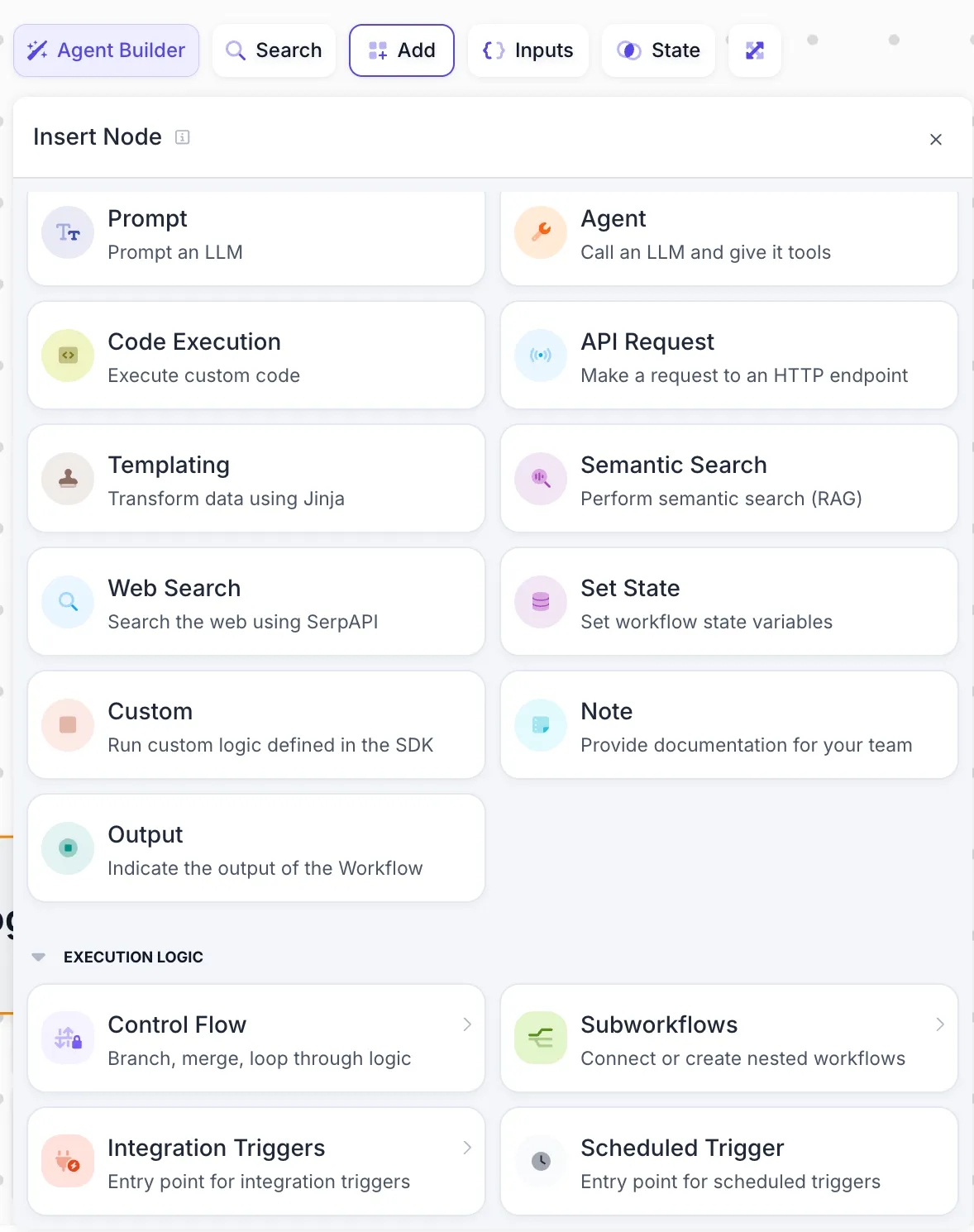
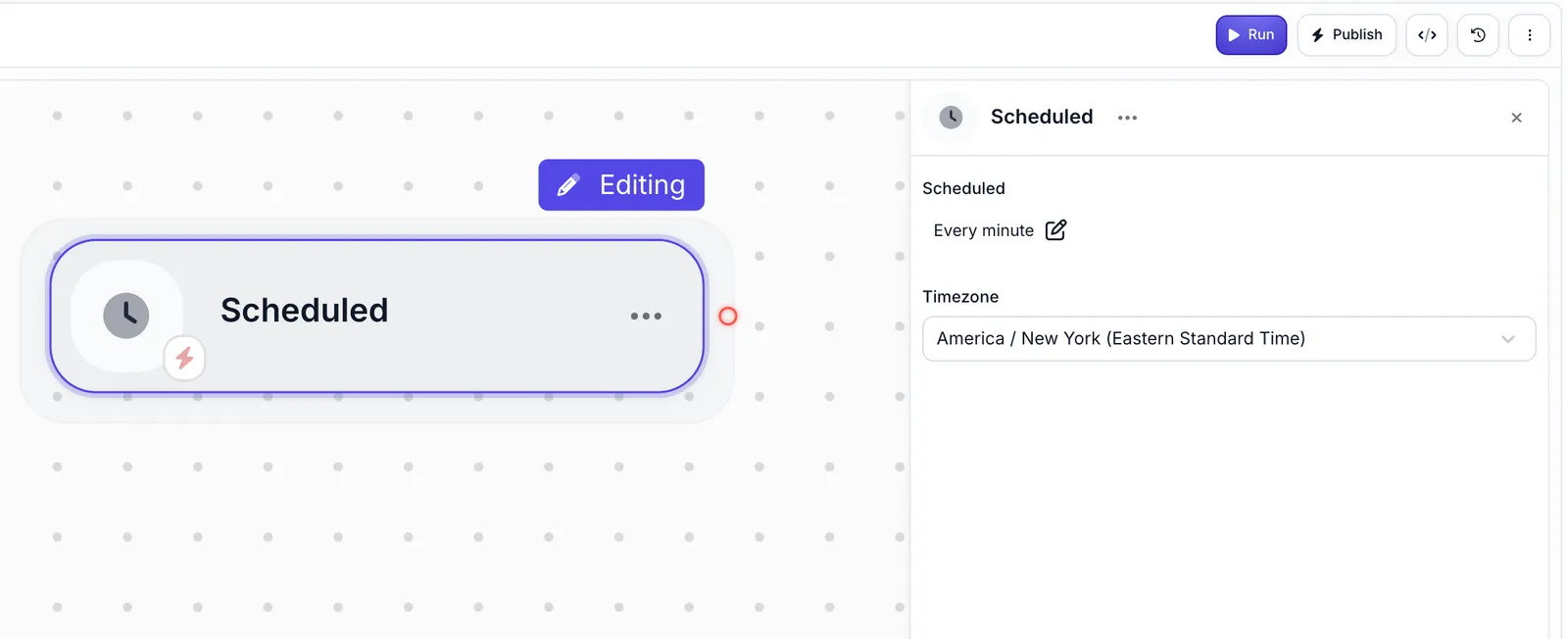
Scheduled Triggers run Workflows on a recurring schedule using cron expressions. You can describe your schedule in plain English (like “every day at 9am”) and Vellum will convert to a cron expression, or provide the cron expression directly.
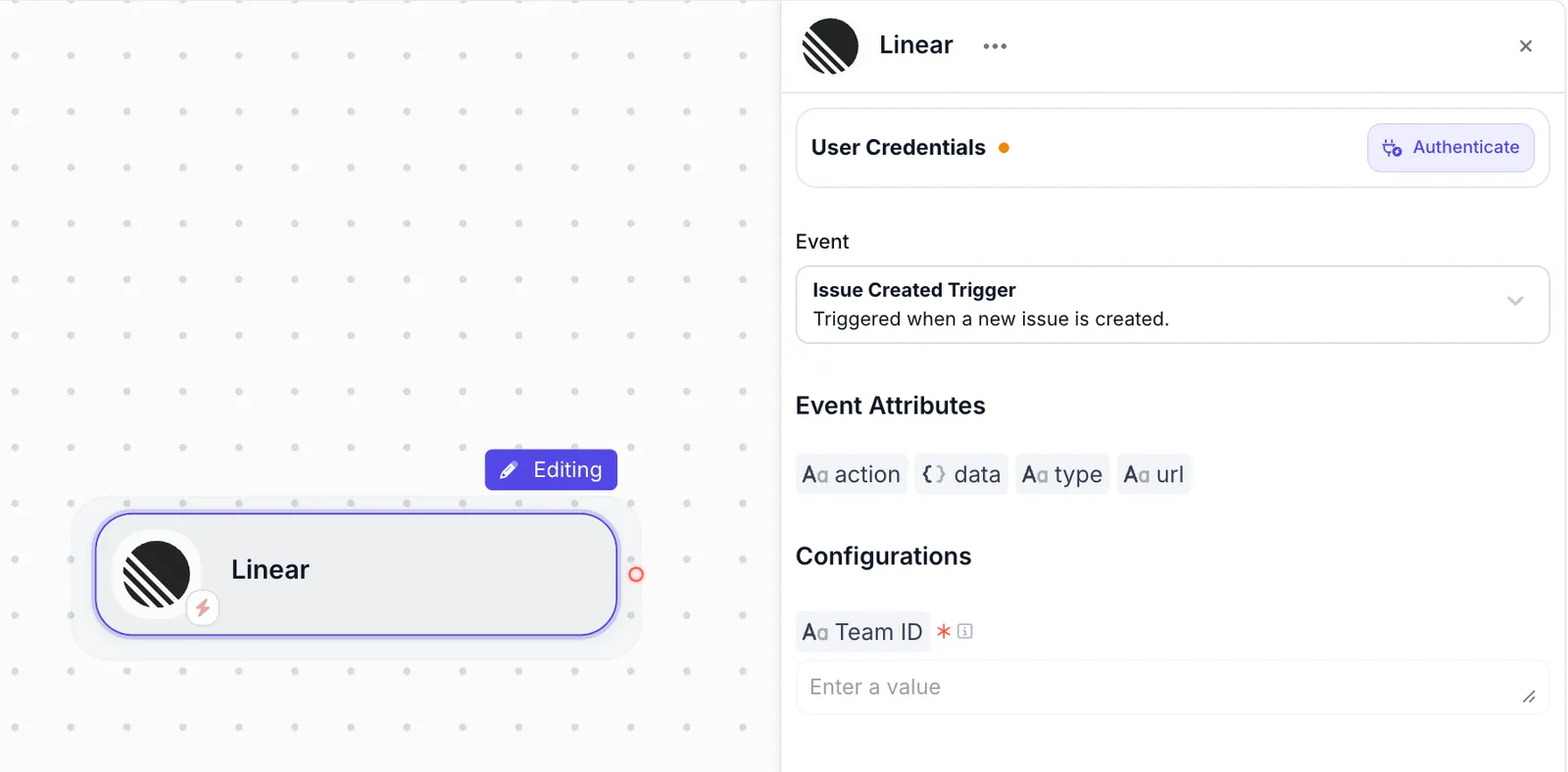
Integration Triggers invoke your Workflow automatically in response to webhook events that come from Native Integrations (e.g., Slack, Gmail, GitHub, etc). After authenticating with the Native Integration, you can configure the specific event type and related settings. For example, with a Linear Integration Trigger, you can specify a team ID to only trigger on issues created within that team.
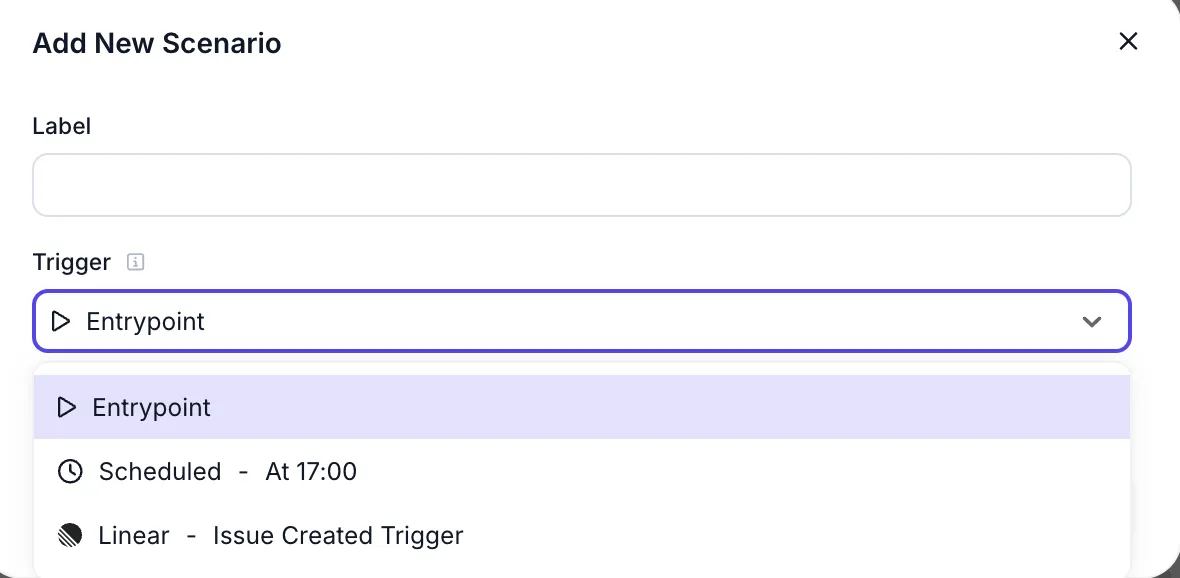
When testing your Workflow with Triggers, add a new Scenario from the Inputs panel and select the option that corresponds to your Trigger. This automatically populates the Scenario with the event payload attributes from the integration, letting you specify custom values and test with simulated Trigger data.
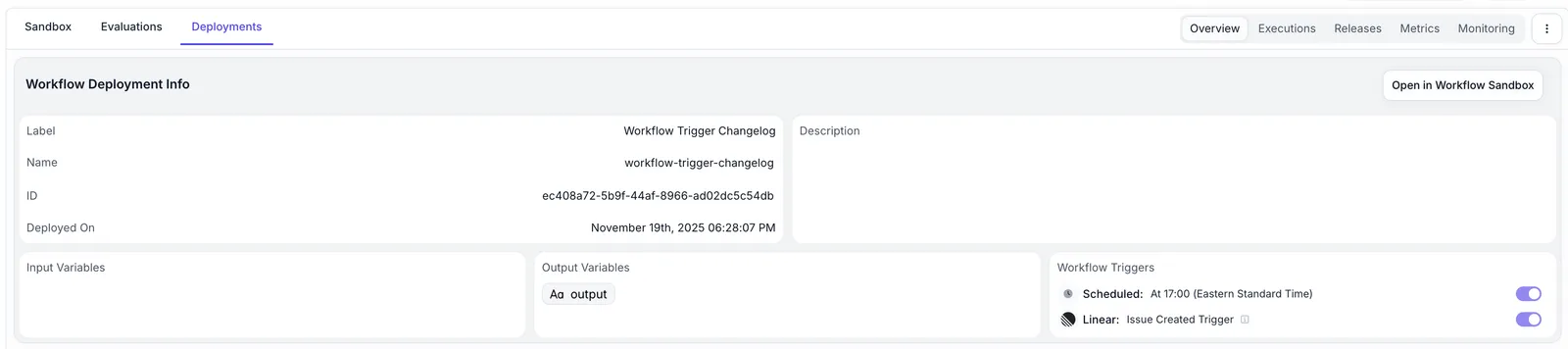
When you deploy a Workflow Sandbox containing a Trigger, the Workflow Deployment executes automatically based on that configuration. Scheduled Triggers run according to the cron schedule, and Integration Triggers fire when the specified event occurs. You can view and enable/disable Triggers on the Workflow Deployment overview page.
Triggers mark a big step towards using Vellum workflows to build Agents that operate autonomously in response to real-world events. We can’t wait to see what you build with them!
Personal API Keys Now Respect User Permissions
November 19th, 2025
Personal API Keys now respect your user permissions and roles. If you don’t have the necessary permissions for an action, API requests will return a 403 error. For example, you’ll need the Deployment Editor role to deploy Workflows via API using your Personal API Key.
Support for Gemini 3 Pro Preview
November 18th, 2025
We’ve added support for Gemini 3 Pro Preview via the Gemini and Vertex AI APIs, along with the new thinkingLevel and mediaResolution API features.
Agent Builder Plan Diagrams
November 18, 2025
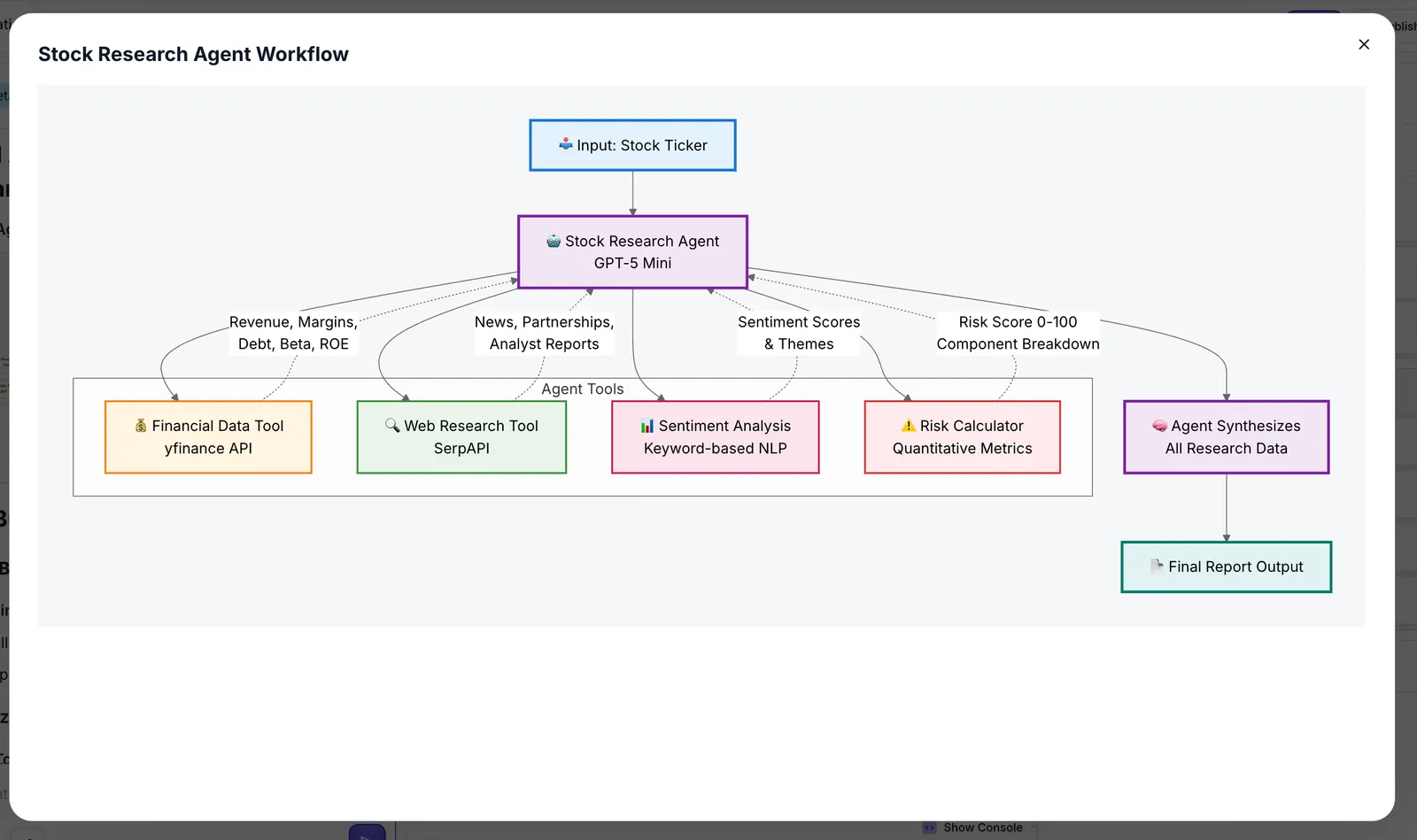
Agent Builder will now create visual diagrams to help convey its plan while you build.
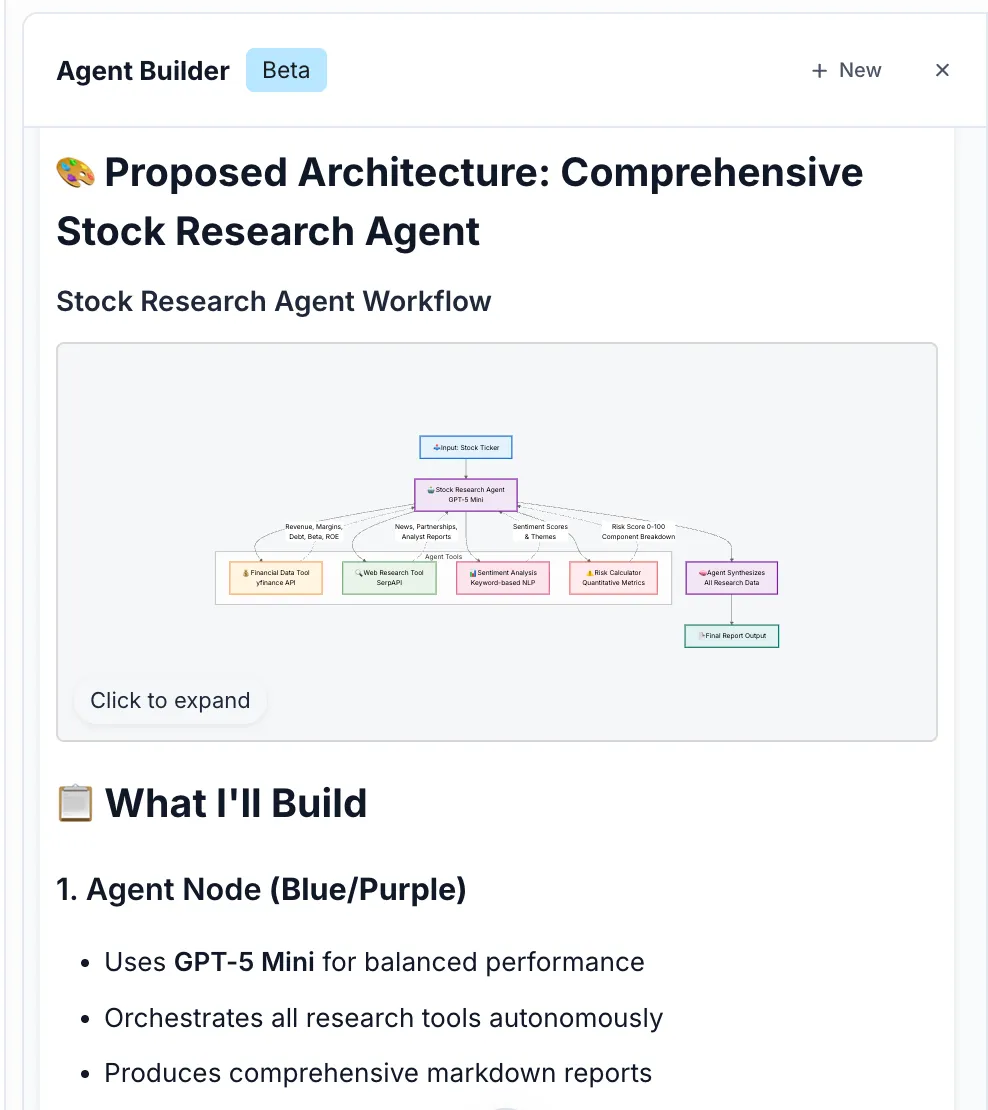
You can click on the diagram to expand it:
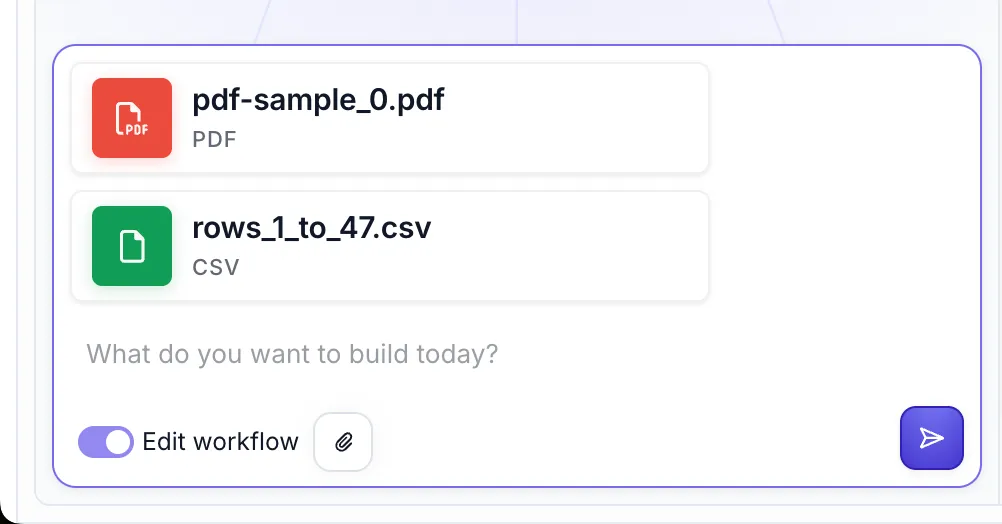
Agent Builder CSV, TXT, MD File Support
November 18, 2025
You can now upload CSV, TXT, and MD files to Agent Builder to streamline building new Workflows and Agents.
Below are just a few ways you could use this:
- Upload a CSV of mock customer data to build a data extraction workflow
- Upload a markdown document with product specifications to build a product comparison agent
- Upload a text file with your company’s guidelines to build a compliance checking agent
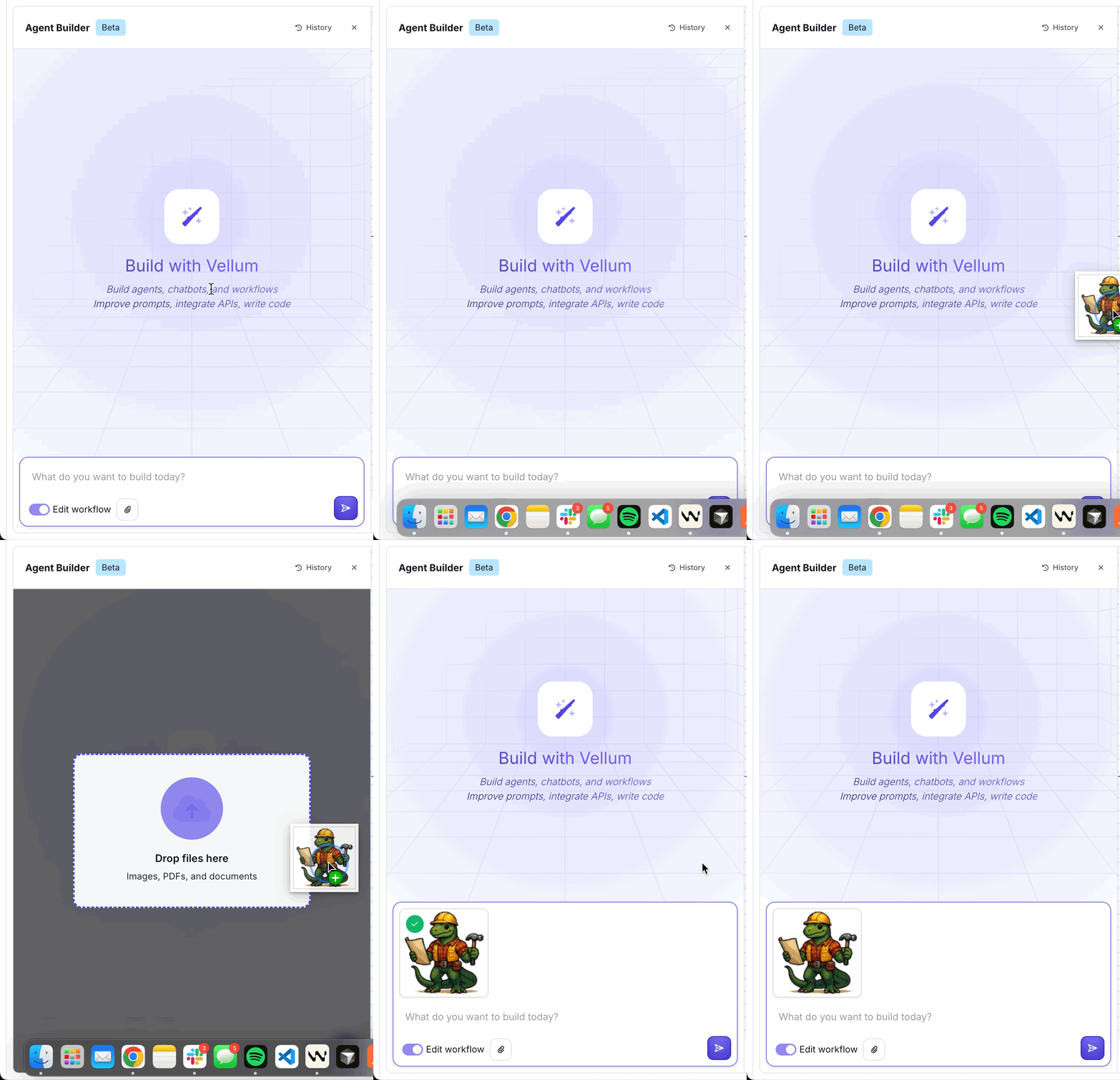
Agent Builder PDF and Image Inputs
November 16, 2025
You can now upload PDF and Image files to Agent Builder to streamline building new Workflows and Agents. Below are just a few ways you could use this:
- Upload a sketch or diagram of a Workflow architecture, Agent Builder will build it for you
- Upload example images or documents for Agent Builder to automate prompt generation for classification or data extraction tasks
- Upload brand guidelines to convert into prompts for style adherence
Support for OpenAI’s GPT 5.1 via Vellum
November 13th, 2025
We now support OpenAI’s GPT 5.1 model via Chat Completions and Responses endpoints.
Updated Condensed Nodes
November 13th, 2025
We’ve redesigned Nodes in Workflows with a cleaner, more condensed look that helps you see more of your Workflow at a glance.
- Simplified Node appearance with less visual bulk
- Node results now appear in the console organized by timeline, rather than underneath each Node
- The console automatically highlights the current streaming Node as your Workflow executes left to right
- You can now see your entire Workflow even when the console is open
- Improved visual states for running Nodes, outputs, and errors
- Cleaned up the appearance of connections between Nodes
Generic Private Code Package Repositories
November 13th, 2025
You can now configure generic private code package repositories for Python that support basic authentication. This allows you to pull dependencies from custom PyPI-compatible repositories. You can use these private repositories when using Code Execution Nodes in Workflows and also in Code Metrics.
To add a private repository you can navigate to the Private Package Repository page here. You can also add a repository by clicking the “Add Private Repository button” in the dropdown of the new Repository field when adding a package.
Web Search Tool support for Anthropic Claude Models
November 12th, 2025
You can now enable the use of Web Search Tools for Anthropic Claude models.
Environment Variables as Metric Inputs
November 11th, 2025
Evaluation Metrics can now reference Environment Variables as inputs. This is useful for custom Metrics that need secret values like API Keys. Previously, you’d reference workspace-level secrets directly.
Web Search Node
November 10th, 2025
You can now add Web Search Node to your Workflows from the Workflow Sandbox UI. Pass in a query and it’ll return the top 5 search results from the internet, including the page title and URL for each result.
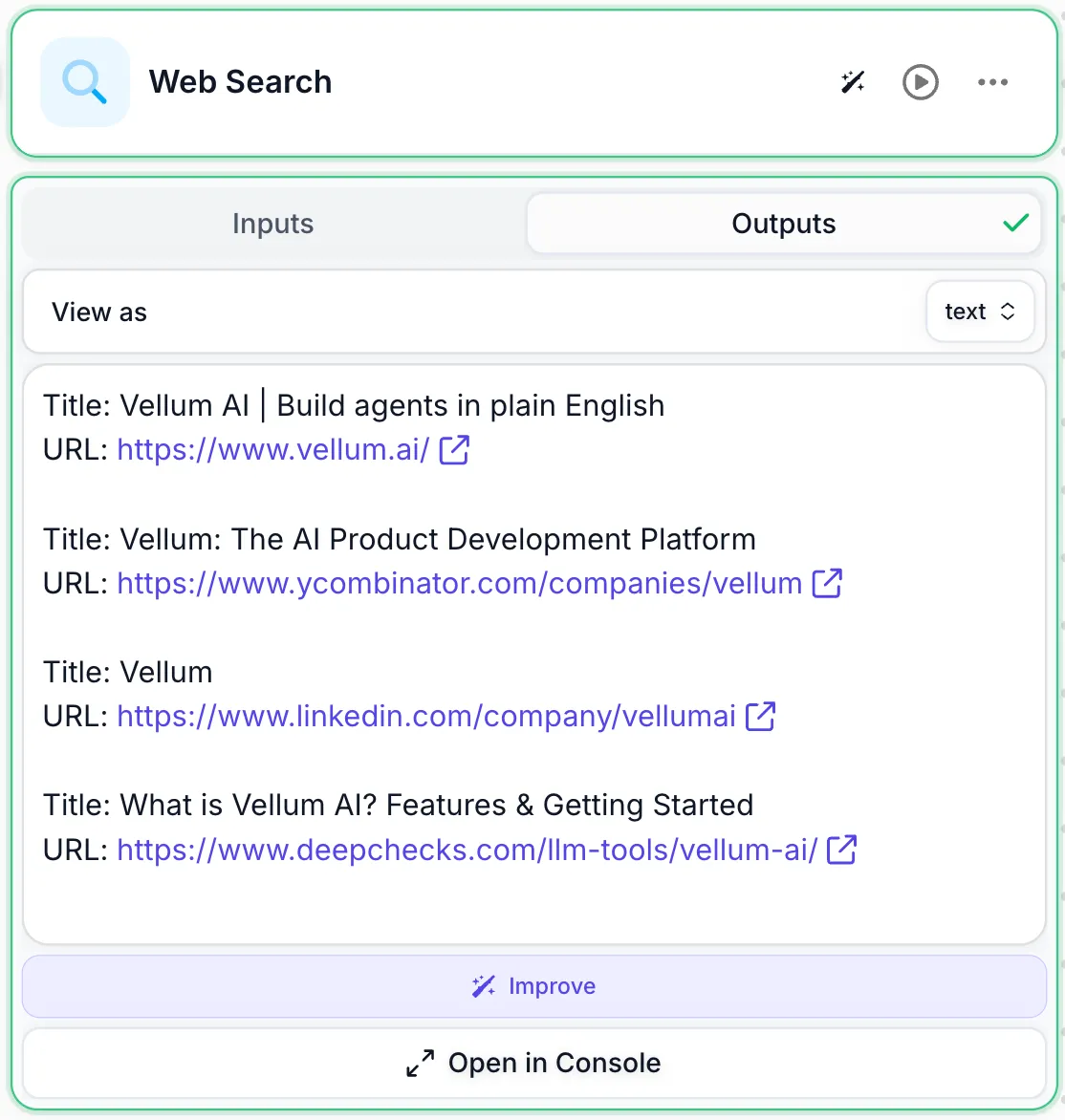
This node used the Serp API Integration under-the-hood to actually perform the web search.
Console Improvements
November 10th, 2025
We’ve made several improvements to the console for viewing and debugging Workflow runs.
- Auto-select streaming Nodes. The console now automatically selects the latest streaming Node as your Workflow executes, making it easier to follow along in real-time.
- Better timeline view. The timeline view has improved spacing, colors, icons, and loading states for a cleaner debugging experience.
- Enhanced Subworkflow and Map Node timelines. We’ve improved the timeline display for Subworkflows and Map Node runs to make debugging these complex execution patterns easier.
- Console in Subworkflows. The console is now available inside Subworkflows, giving you a snapshot of what happened in the last run without leaving the Subworkflow context.
- Faster Map Node event viewing. Viewing events inside the Map Node after a run is now much faster and smoother.
Agent Builder Audio Notifications
November 8th, 2025
Agent Builder now plays an audio chime when it’s done building your Workflow if you switched to another browser tab or application while waiting.
Evaluating Workflows That Use Integrations
November 8th, 2025
You can now run evaluations for Workflows that use third-party integrations like Notion or Slack. Previously, these evaluations would fail when they tried to invoke an integration. Now they’ll succeed as long as you’ve authenticated with the integrations used in the Workflow.
Environment Variables & Secrets Simplification
November 7th, 2025
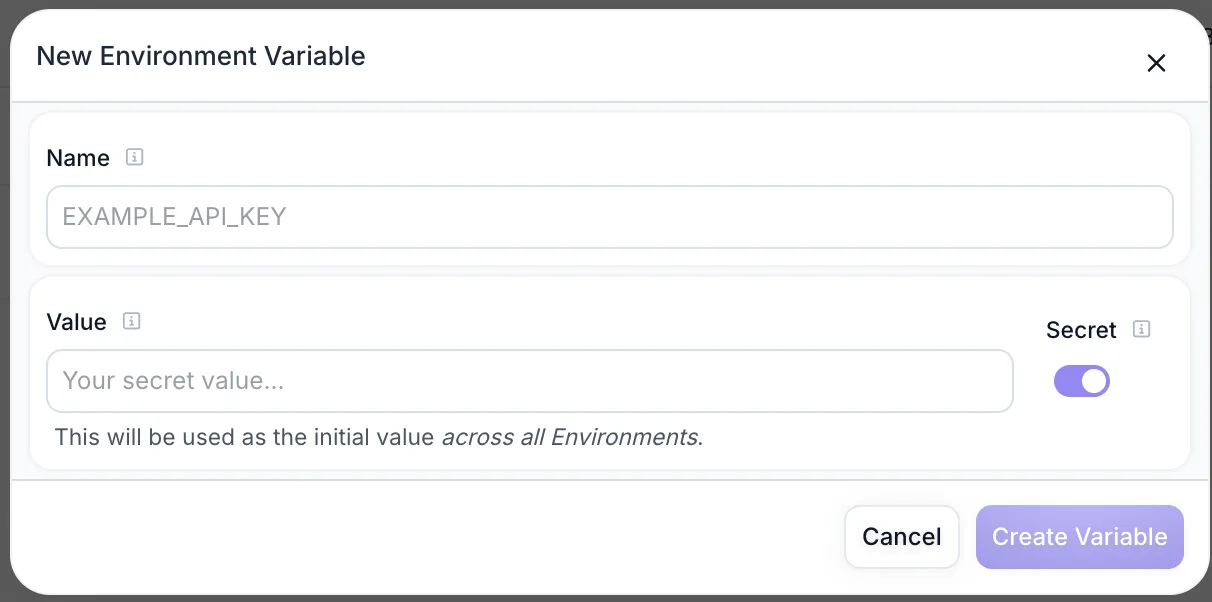
We’ve simplified how you manage Environment Variables, Secrets, and API Keys in Workspace Settings.
- Environment Variables and Secrets are now unified: There’s no longer a distinction between the two. Just create Environment Variables and mark them as secret with a toggle—we’ll handle the secure storage under-the-hood.
- Consolidated management page: Environments and Workspaces are now managed on a single “Manage” page.
- Dedicated API Keys page: API Keys now have their own page within Workspace Settings for easier access.
Customizable Workflow Icons
November 5th, 2025
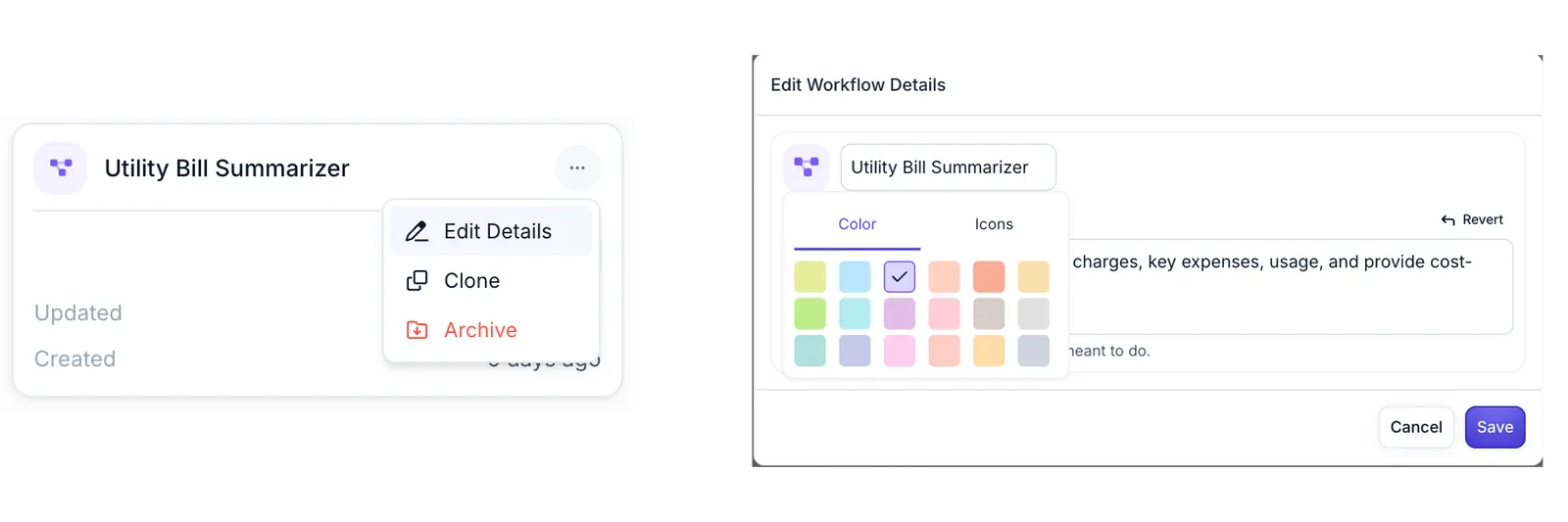
You can now customize the color and icon of your Workflows. Just click the more menu, then Edit Details, and click on the icon shown. We’ll then show the icon on the Workflows homepage, in your AI App, and more.
New Native Integrations
November 1st, 2025
We’ve added support for 14 new native integrations:
- Apollo
- Atlassian
- Bitbucket
- BrowserBase
- Cal
- ElevenLabs
- Exa
- Mem0
- Neon
- Parsera
- People Data Labs
- PostHog
- Tavily
- Semrush
You can now connect these integrations directly to your Workflows in Agent Builder, Agent Nodes, or Custom Nodes.