

Easy Guide to Uploading Documents on Vellum AI
Any document that you want to query against should be uploaded ahead of time at https://app.vellum.ai/document-indexes.
Environment-Scoped Documents: Documents uploaded to a Document Index are Environment-scoped. Documents will only appear in search results when the search request is performed within the same Environment context. This ensures proper isolation between your different environments.
What is a Document Index?
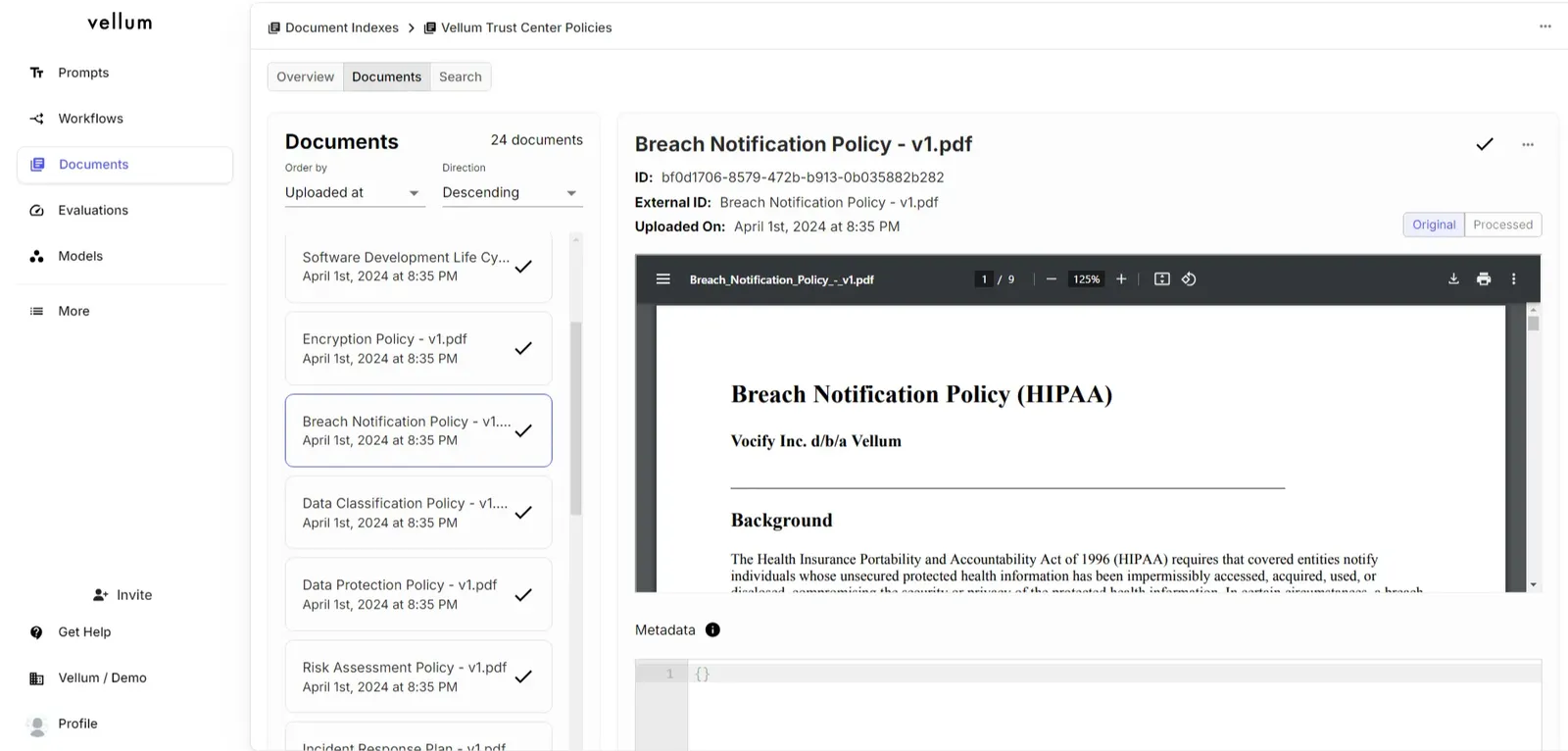
Document indexes act as a collection of documents grouped together for performing searches against for a specific use case. For example, if you are creating a chatbot to query against OpenAI’s help center documents, the text files of each article in the help center would be stored in one index. Here’s how it looks in Vellum’s UI:
How to upload documents?
You can manually upload files through the UI or via API.
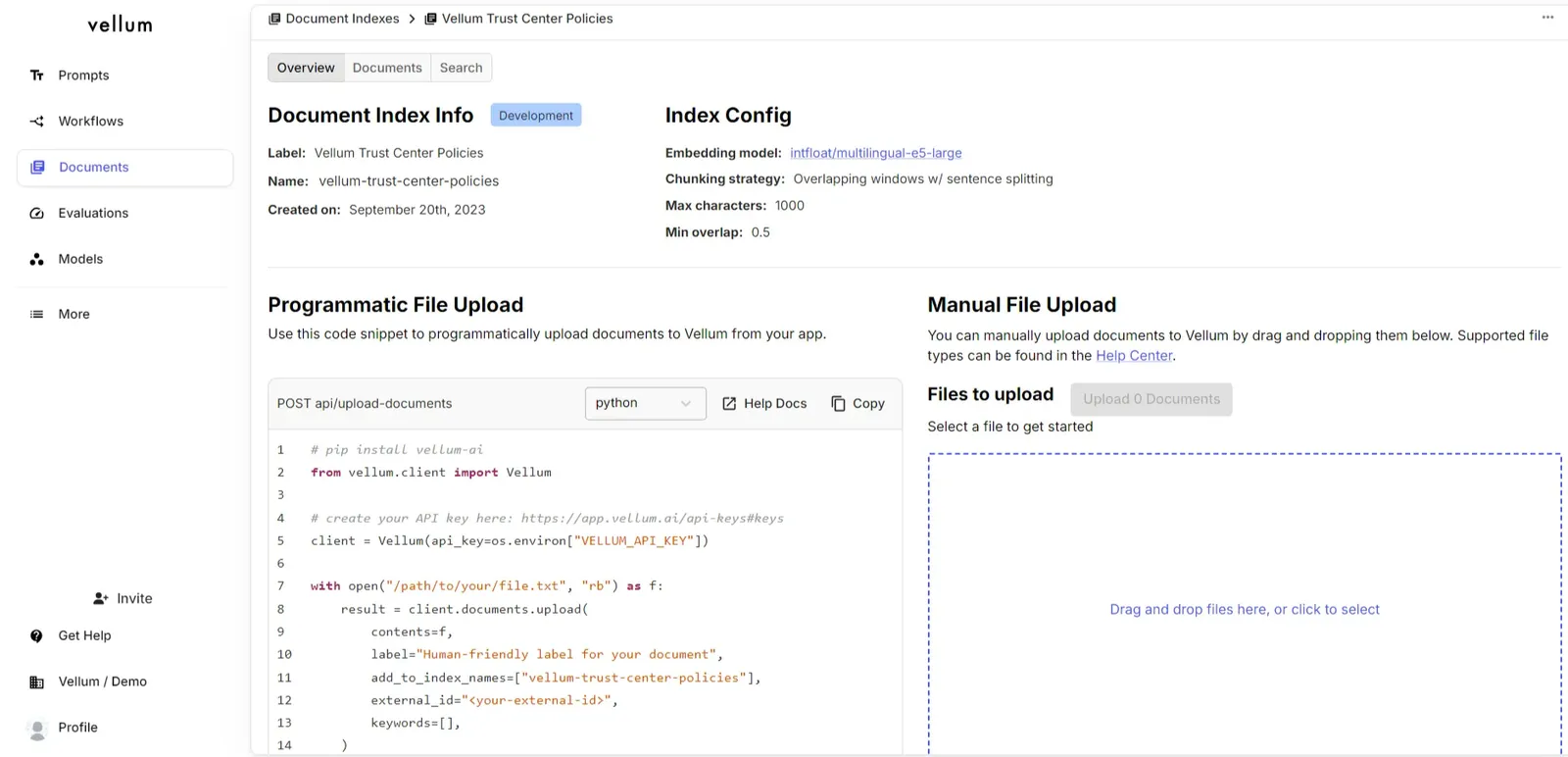
Each document has a Name and an External ID which are
initially populated with the name of the file that you upload.
Name - Human readable text which is how the document will be visible in Vellum’s UI (in documents tab)
External ID - As the contents of a document change and the old documents becomes out of date, you can submit the updated document for reindexing re-uploading it and specifying the same External ID.
Supported File Types
In addition to sending plain strings via API, Vellum also supports uploading files of the following types:
- .csv
- .doc
- .docx
- .jpg
- .json
- .png
- .pptx
- .txt
- .xls
- .xlsx
For .pdf, .png, and .jpg files, we apply an OCR process to convert the file to a text representation. If you need another file type, please reach out!
Document Size Limits
Each document can be up to 32MB and 2.5M characters
Out-of-box Chunking Strategy
Vellum currently uses a static chunking strategy.
Chunking strategy: Overlapping windows w/ sentence splitting
Min overlap: 50%
Max characters: 1000
This configuration works well for most use cases.
Advanced Chunking Strategy
For users needing more detailed metadata in their chunk data, Vellum offers an “Advanced Chunking” strategy. Advanced Chunking enhances support for the following:
- Complex PDF formats (multi-column, alternate page or section orientations)
- Tabular / spreadsheet data (.csv, .xls, tables within PDFs)
- Images (interpreting signatures & handwriting, charts & illustrations, etc.)
- Complex document layouts with mixed text and images
Additionally, indexes with Advanced Chunking will include meta.source.start_page_num and meta.source.stop_page_num attributes on each chunk returned during a search.
When to Use Advanced Chunking
Advanced Chunking is particularly valuable when:
- Your documents contain complex formatting that standard chunking might misinterpret
- You need to preserve the structure of tables and other formatted data
- Your documents mix text and images that need to be interpreted together
- You need to extract structured information from unstructured documents
Examples of Advanced Chunking in Action
Below are examples showing how Advanced Chunking processes various document types, converting them into LLM-friendly formats that preserve semantic meaning while enabling effective search and retrieval.
Restaurant Menu with Complex Formatting
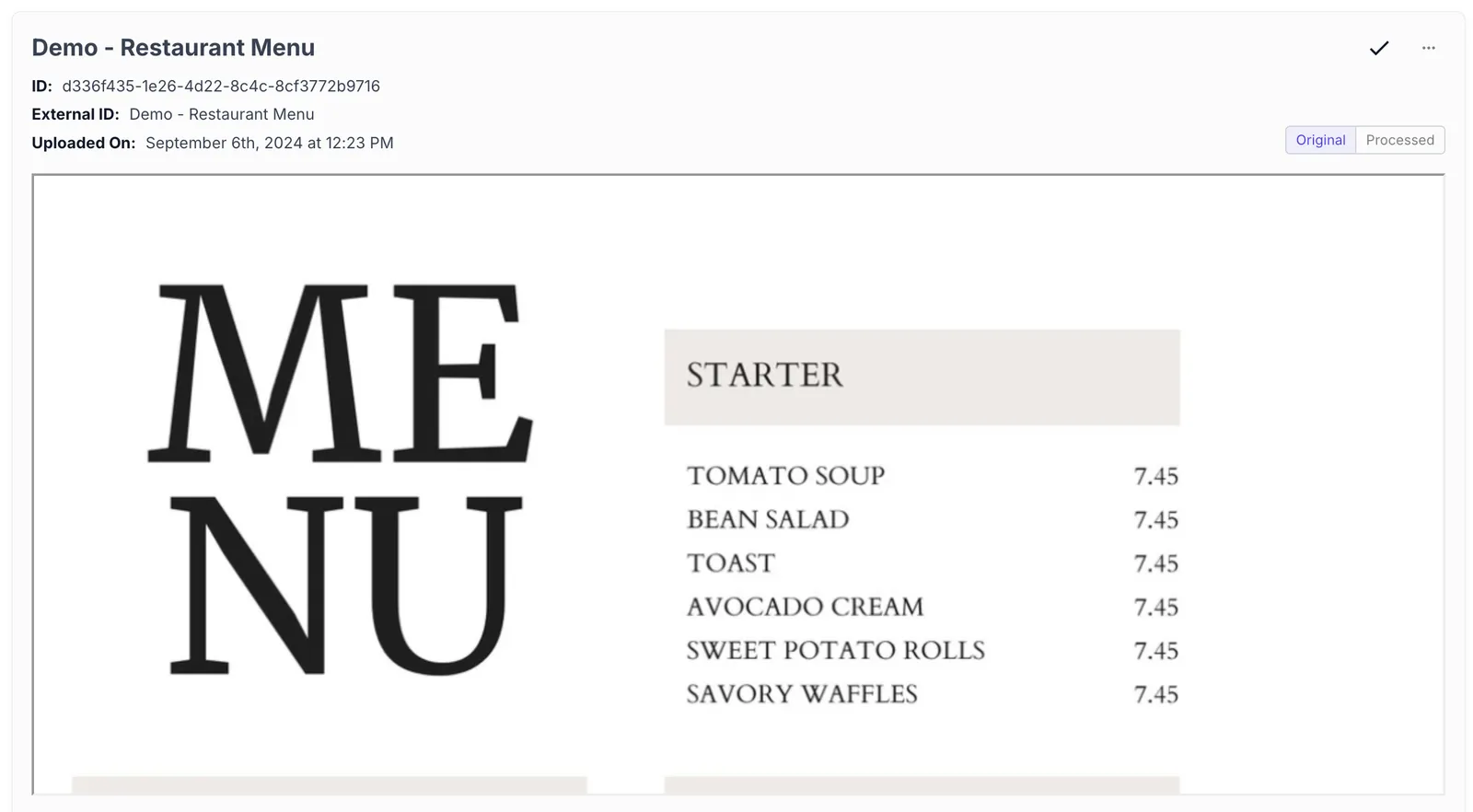 | 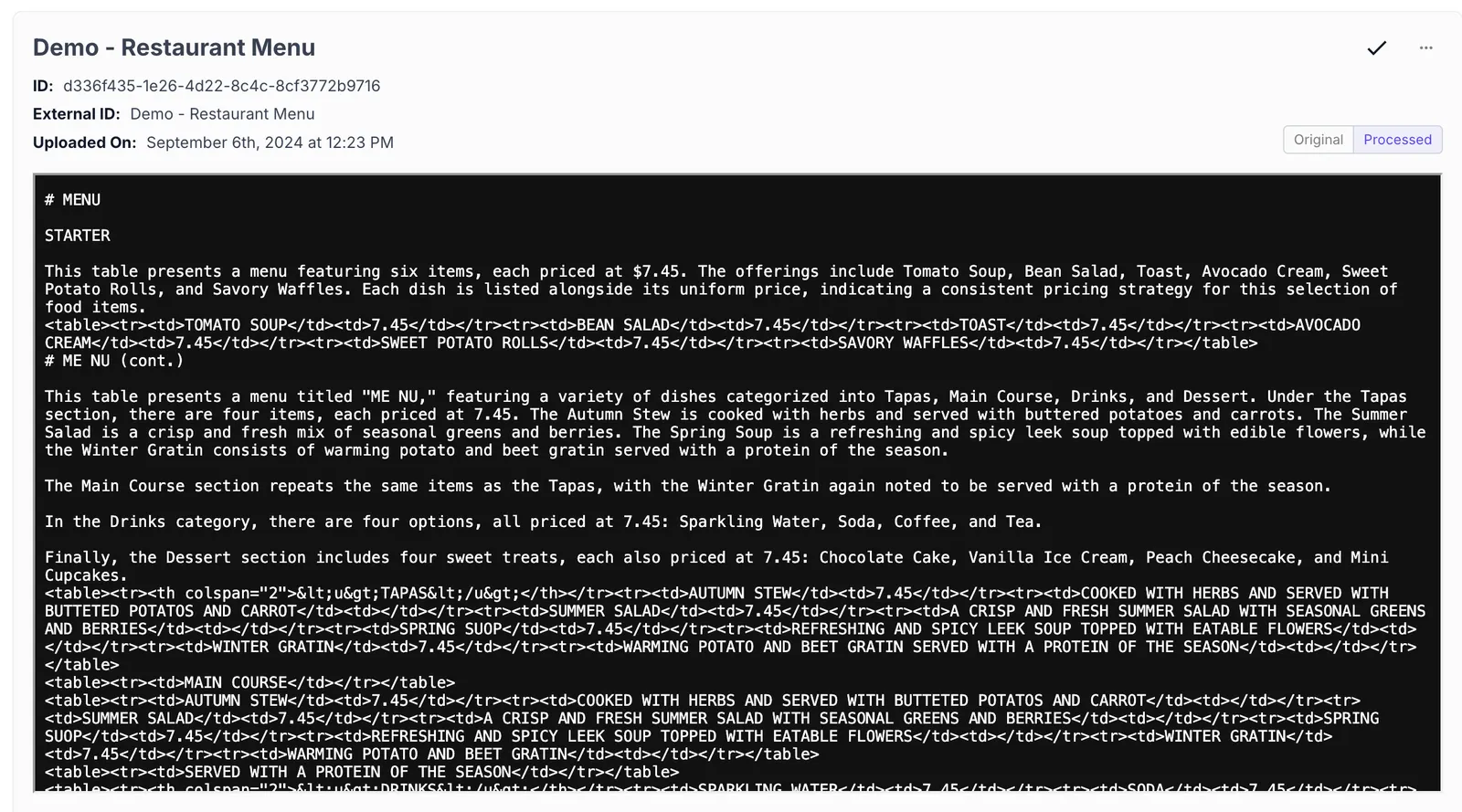 |
The Advanced Chunking strategy preserves the menu structure, recognizing section headers, item names, and prices while maintaining their relationships.
PDF with Mixed Text and Images
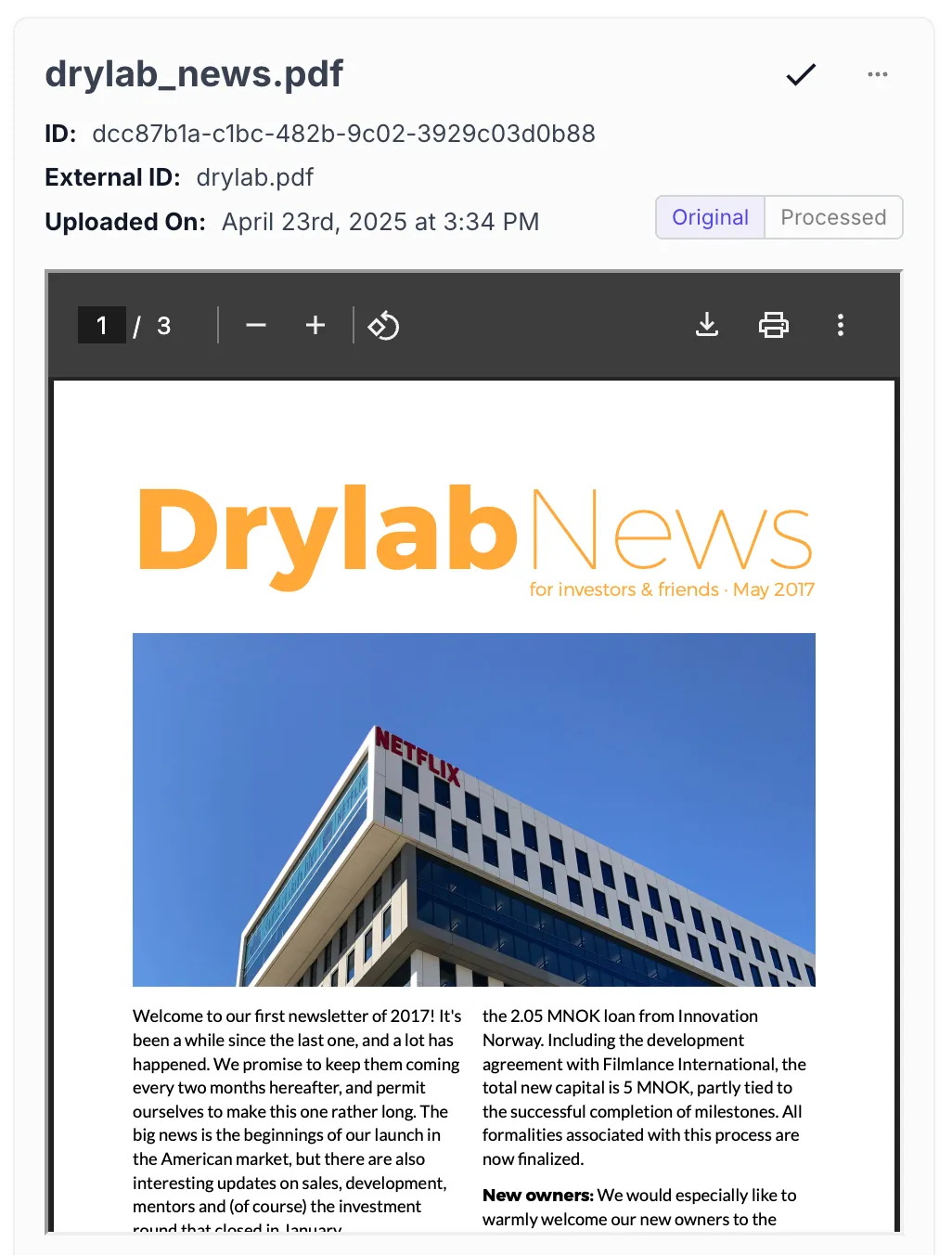 | 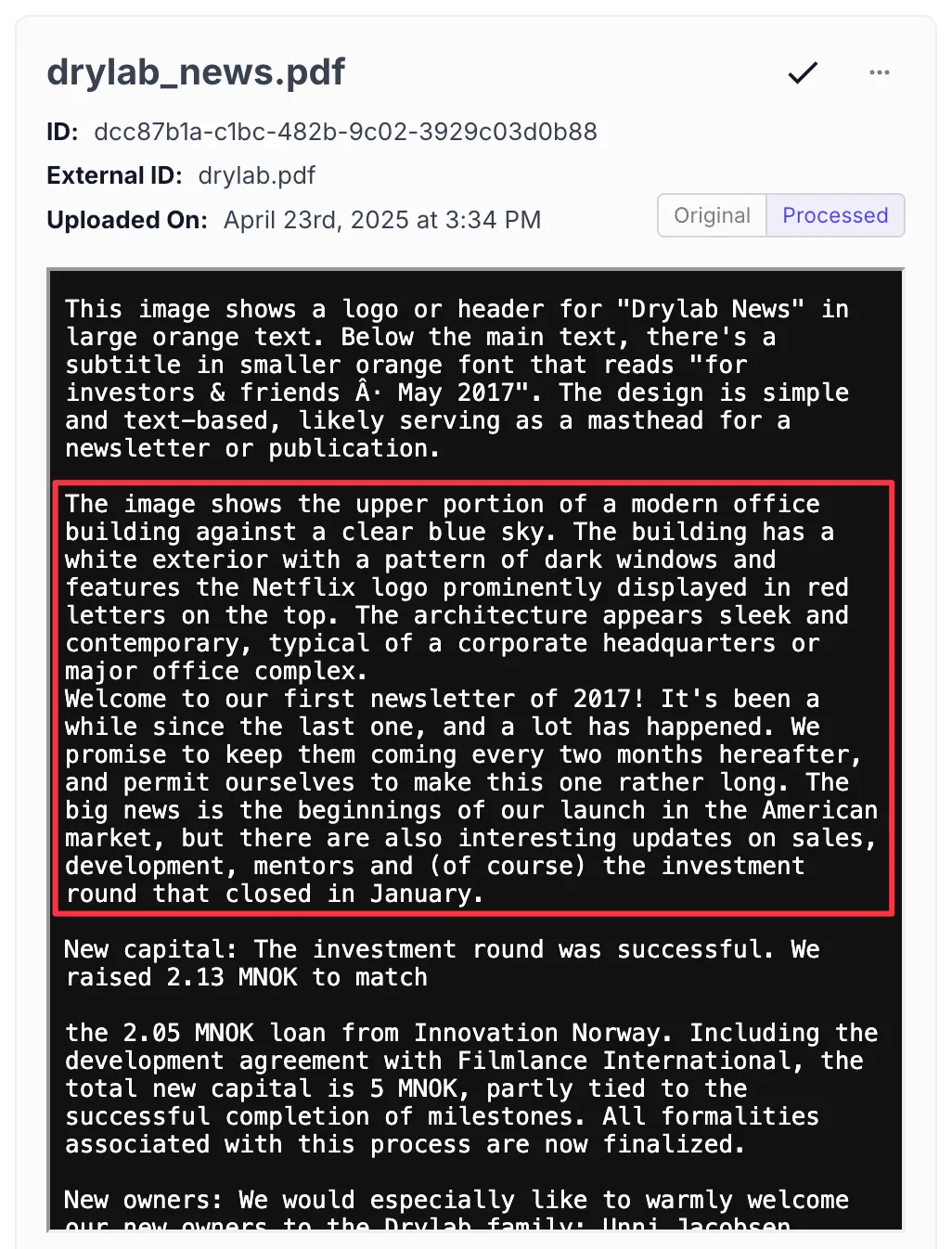 |
Advanced Chunking not only extracts the text but also generates descriptions of images, providing context that would otherwise be lost. This enables semantic search across both textual and visual content.
Invoice with Tabular Data
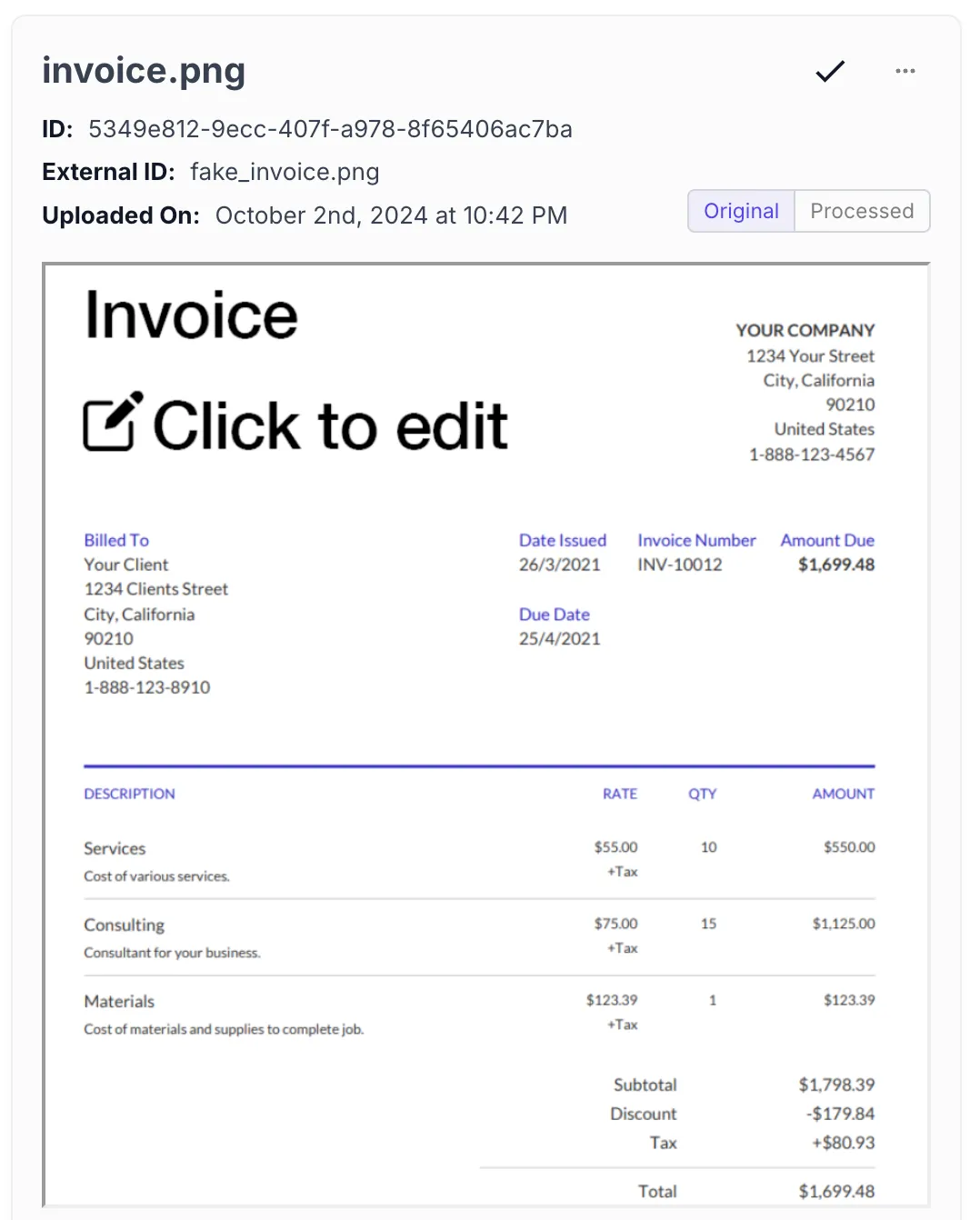 | 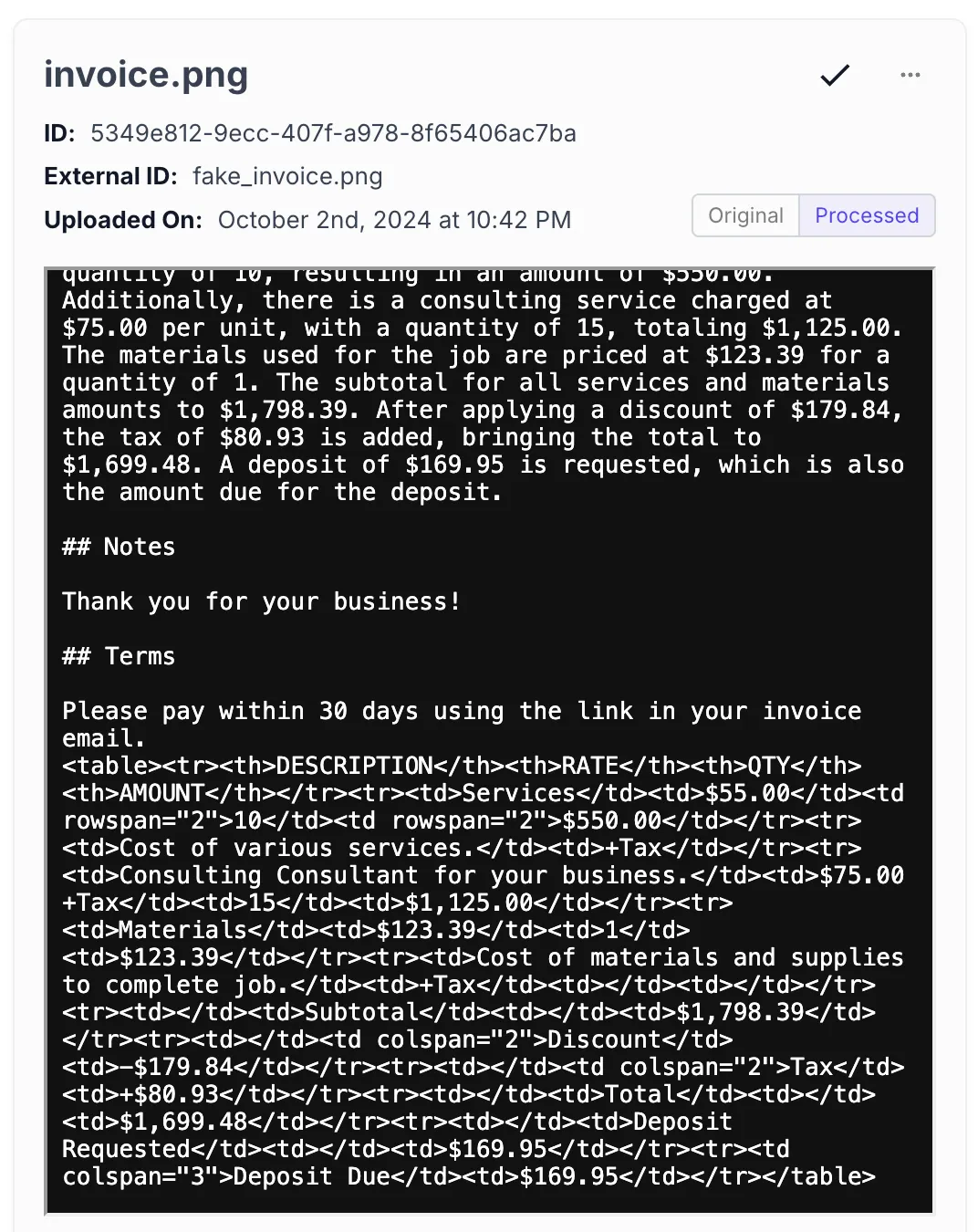 |
The system accurately parses the invoice’s tabular structure, maintaining relationships between services, quantities, rates, and amounts. This structured representation enables precise information retrieval and calculation verification.
Complex Table with Multiple Columns
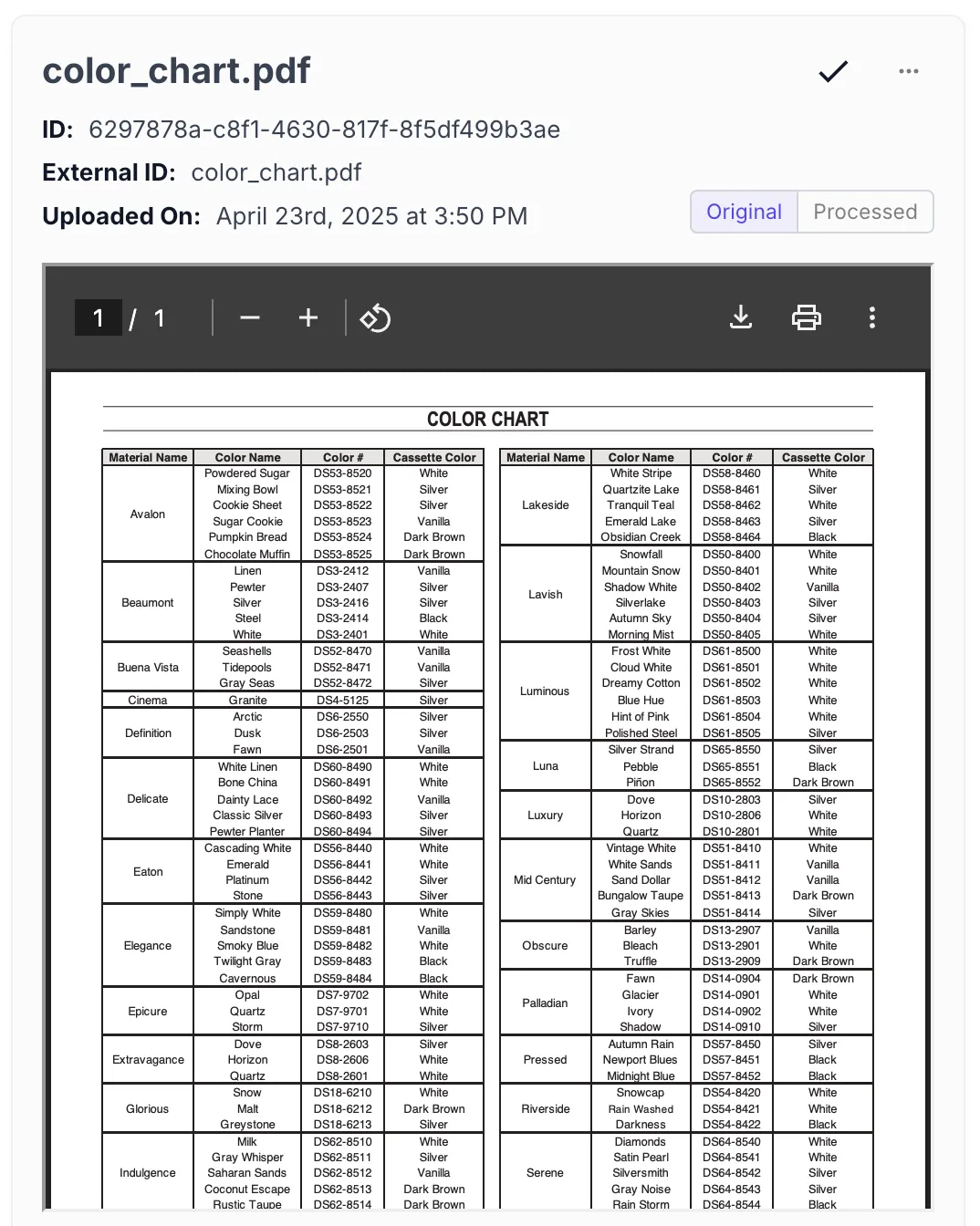 | 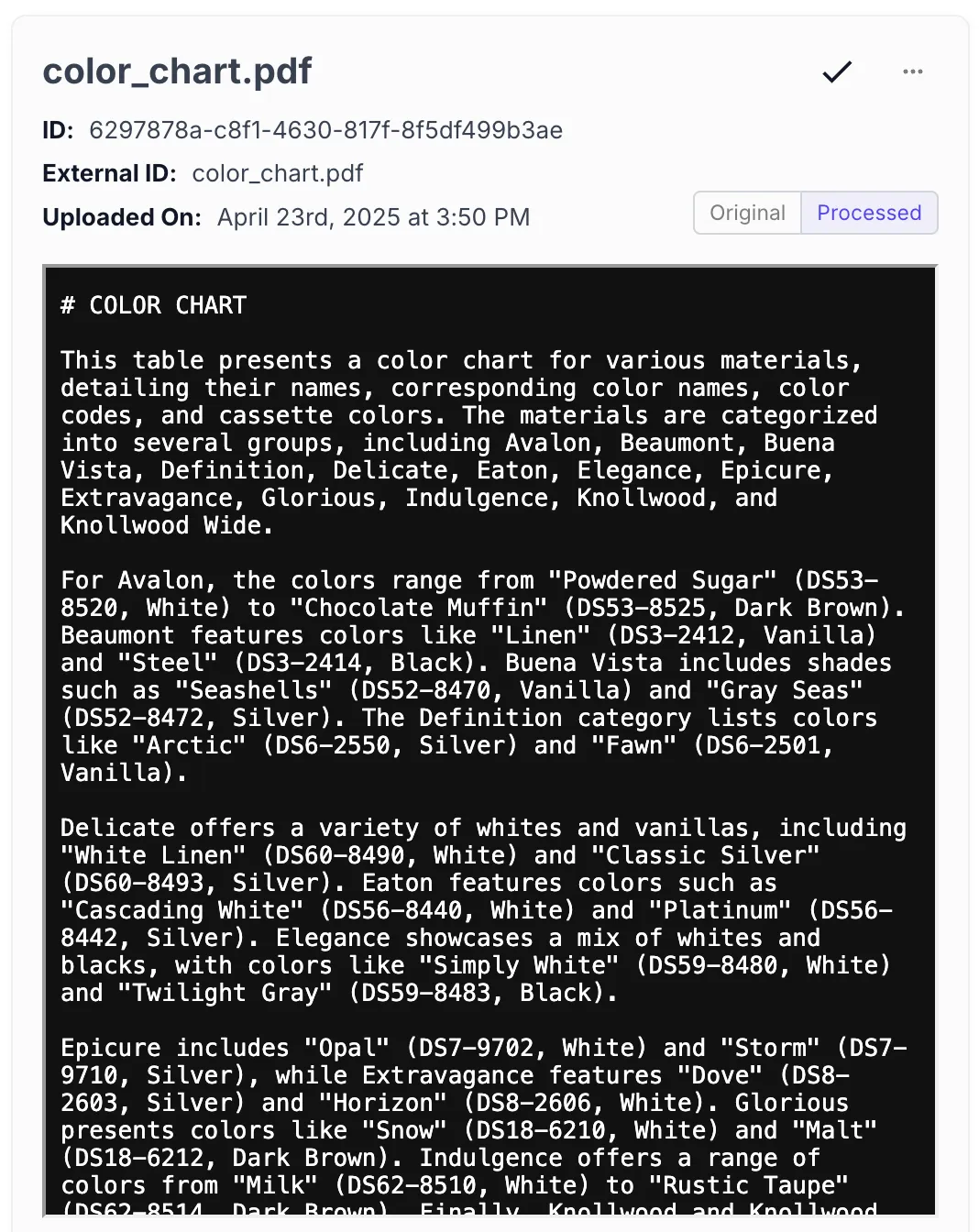 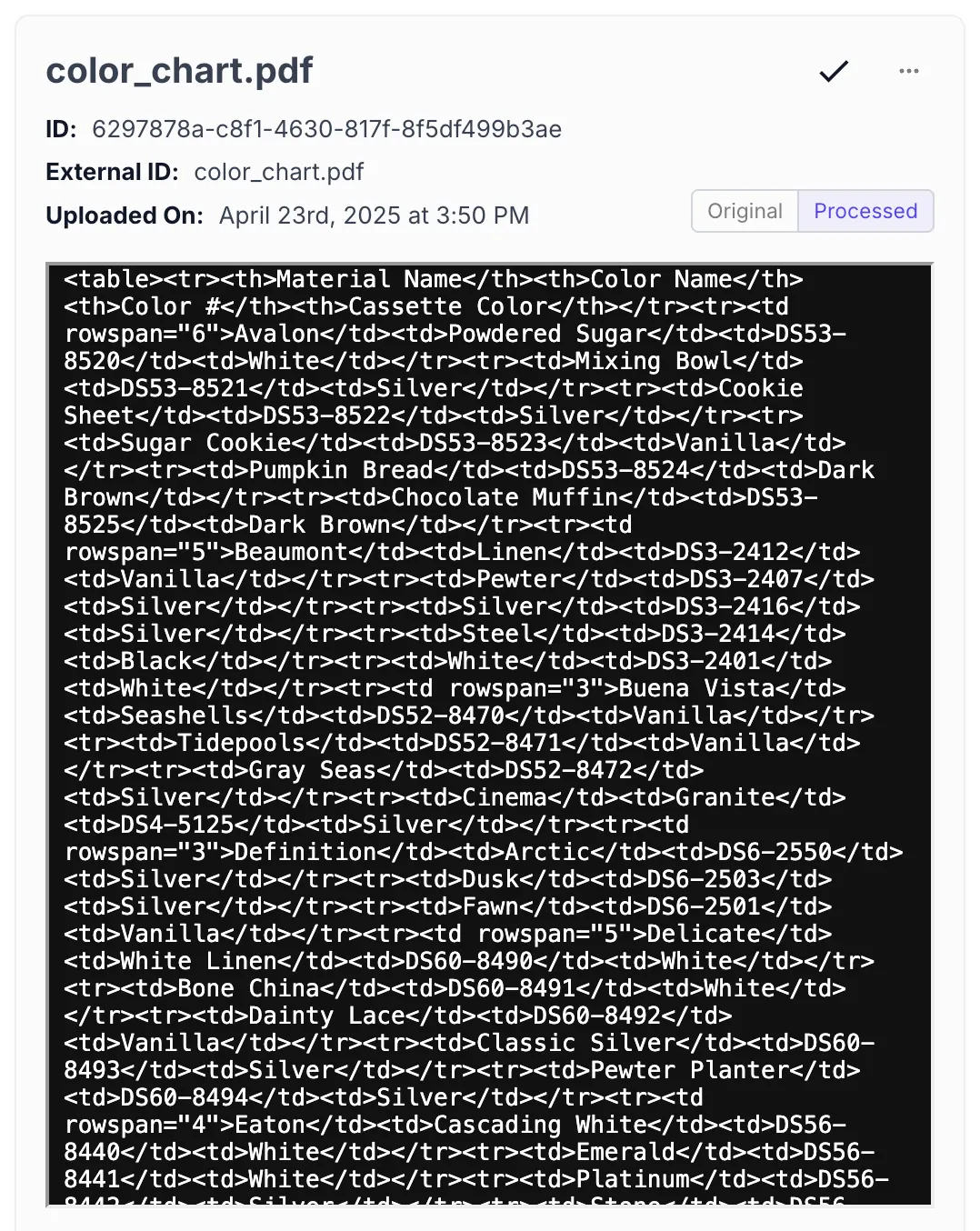 |
Advanced Chunking converts complex tables into both descriptive text and structured HTML representations, making the data accessible for both semantic search and structured queries.
Using Advanced Chunking with Workflows
Advanced Chunking can be used in tandem with our Summarizing Contents of a PDF File walkthrough to extract or summarize complex documents with ease. The enhanced metadata and structural preservation make it particularly effective for:
- Extracting specific data points from invoices or financial documents
- Summarizing multi-section documents while maintaining section relationships
- Converting tabular data into structured formats for further processing
- Building Q&A systems that can reference specific sections or pages of documents
Please reach out to support@vellum.ai if you feel your chunking strategy needs aren’t met with the capabilities listed above.