For AI agents: a documentation index is available at the root level at /llms.txt and /llms-full.txt. Append /llms.txt to any URL for a page-level index, or .md for the markdown version of any page.
BlogLog InRequest Demo
HomeProductDevelopersSelf-HostingChangelog
  • Getting Started
    • Overview
  • Agent Builder
    • Using the Agent Builder
  • Prompts
    • Prompt Engineering
    • Collaboration
    • Custom Models
    • Multimodality
    • Prompt Caching
  • Workflows
    • Introduction
    • Experimenting
    • Integrating
    • Function Calling
  • Evaluation & Test Suites
    • Quantitative Evaluation
    • Evaluating RAG Pipelines
    • Online Evaluations
  • Metrics
    • Out of the Box Metrics
    • Custom Metrics
    • Reusing Metrics in Test Suites
  • Deployments
    • Deployment Lifecycle Management
    • Observability in Production
    • Environments
    • Release Tags
    • Release Reviews
  • Monitoring
    • Monitoring Production Trends
    • Track Workflow Execution Costs
    • Datadog Integration
    • Webhook Integration
    • Execution URLs
  • Documents
    • Uploading Documents
    • Integrating w/ Search API
    • Metadata Filtering
  • Security
    • Data Privacy and Storage
    • HMAC Authentication
    • Role-Based Access Control (RBAC)
    • Static IPs
  • Organizations
    • Manage Organization Access
    • Data Retention Policies
LogoLogo
BlogLog InRequest Demo
On this page
  • History
  • Tracking Progress, Collaborating, and Tagging
  • Share Your Work
Prompts

Collaborate on Prompts with Vellum Prompt Sandbox

Was this page helpful?
Previous

Integrate Custom Models in Your Vellum Workspace Easily

Next
Built with

The Vellum Prompt Sandbox is a powerful tool for rapid iteration and collaboration between multiple models and prompts. Save, tag, and share your work with ease using the features outlined below.

History

Every model-generated response and respective prompt are saved as history items, giving you access to a detailed record of your work. To access history items, simply activate the toggle button located at the top right side of the Sandbox, and all history items will appear on the right side of your screen.
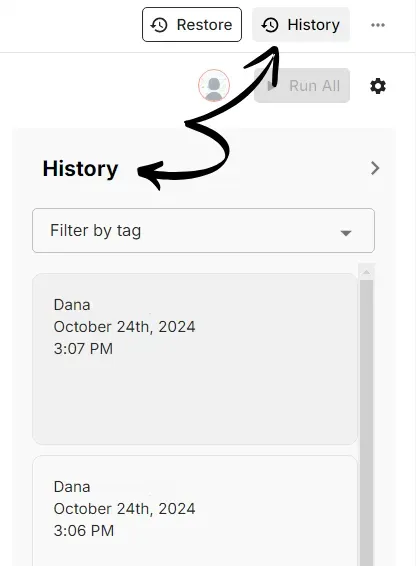
Sandbox History

Tracking Progress, Collaborating, and Tagging

The Prompt Sandbox is designed to help you iterate on prompts and model providers until you find the perfect fit for your needs. With the history feature, you can keep track of your team’s work in an organized way by only keeping the iterations you choose to, through the save button.

Everyone working on the same sandbox can see each other’s history items, and you can also tag them to keep better track of your work.
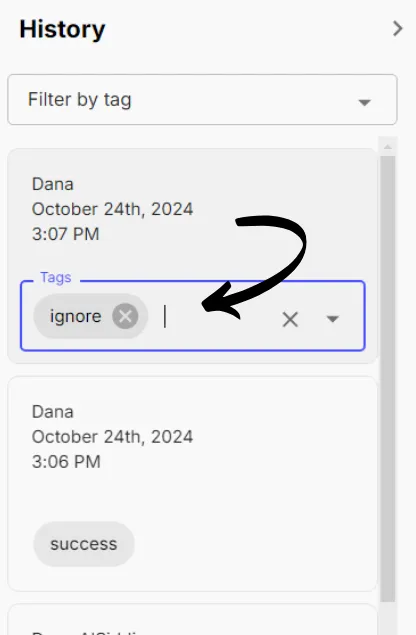
Tagging History

Share Your Work

At any point in time, you can easily share your work with anyone in your organization through a URL by using the “invite” button located at the bottom left side of the page.
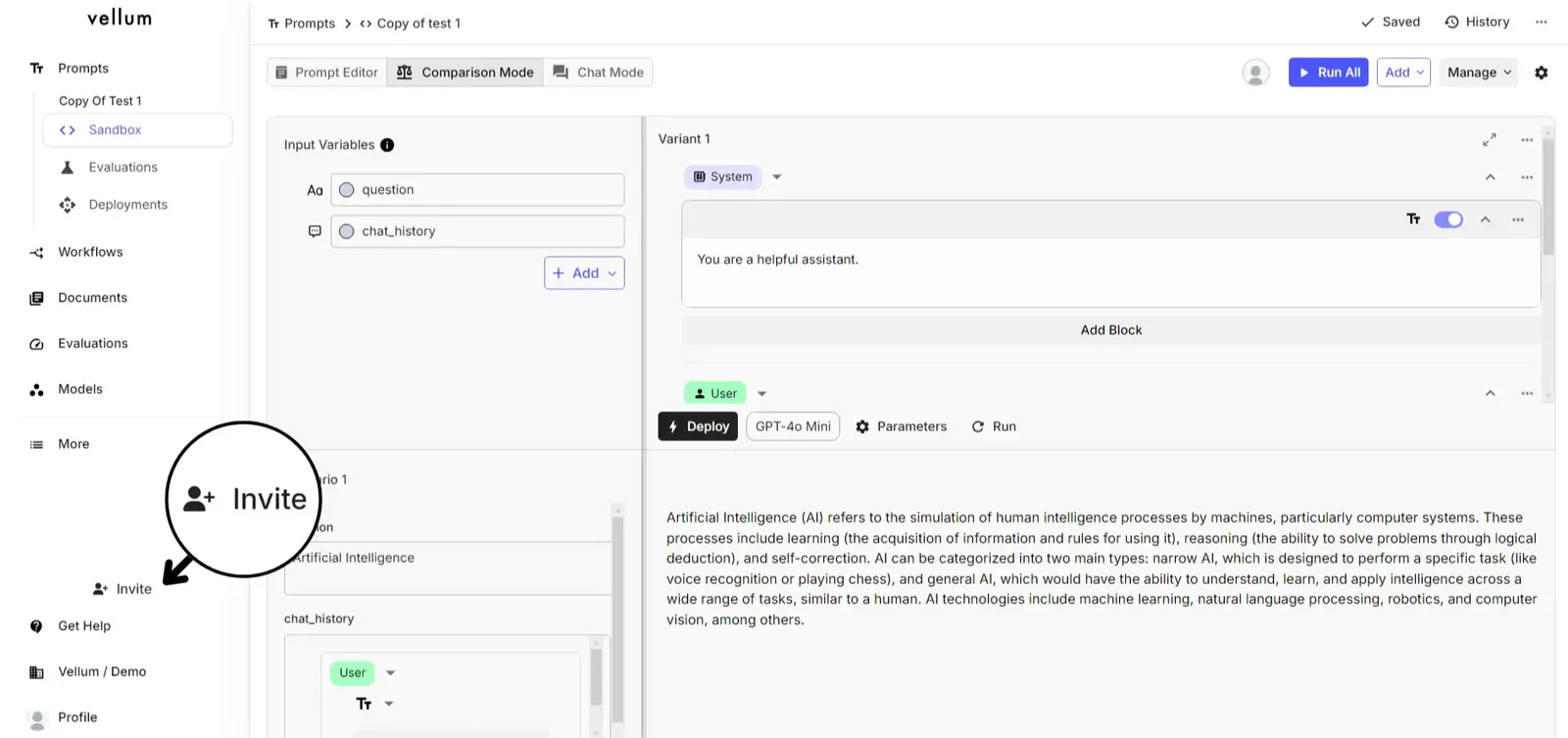
Inviting Teammates