For AI agents: a documentation index is available at the root level at /llms.txt and /llms-full.txt. Append /llms.txt to any URL for a page-level index, or .md for the markdown version of any page.
BlogLog InRequest Demo
HomeProductDevelopersSelf-HostingChangelog
  • Getting Started
    • Overview
  • Agent Builder
    • Using the Agent Builder
  • Prompts
    • Prompt Engineering
    • Collaboration
    • Custom Models
    • Multimodality
    • Prompt Caching
  • Workflows
    • Introduction
    • Experimenting
      • Overview
      • Agent Node
      • Prompt Node
      • Prompt Deployment Node
      • Templating Node
      • Search Node
      • API Node
      • Code Execution Node
      • Subworkflow Node
      • Map Node
      • Guardrail Node
      • Conditional Node
      • Merge Node
      • Final Output Node
      • Error Node
      • Note Node
      • Node Adornments
    • Integrating
    • Function Calling
  • Evaluation & Test Suites
    • Quantitative Evaluation
    • Evaluating RAG Pipelines
    • Online Evaluations
  • Metrics
    • Out of the Box Metrics
    • Custom Metrics
    • Reusing Metrics in Test Suites
  • Deployments
    • Deployment Lifecycle Management
    • Observability in Production
    • Environments
    • Release Tags
    • Release Reviews
  • Monitoring
    • Monitoring Production Trends
    • Track Workflow Execution Costs
    • Datadog Integration
    • Webhook Integration
    • Execution URLs
  • Documents
    • Uploading Documents
    • Integrating w/ Search API
    • Metadata Filtering
  • Security
    • Data Privacy and Storage
    • HMAC Authentication
    • Role-Based Access Control (RBAC)
    • Static IPs
  • Organizations
    • Manage Organization Access
    • Data Retention Policies
LogoLogo
BlogLog InRequest Demo
WorkflowsNodes

Error Node

The Error Node enables you to reject the full workflow, terminating execution with an error event wherever you define it in your execution flow. There are two types of errors you could raise with this node:

  • Pass-through - Use an Error output from an upstream node and pass it through to this node.
  • Custom - Define your own String output that this node will use as an error message
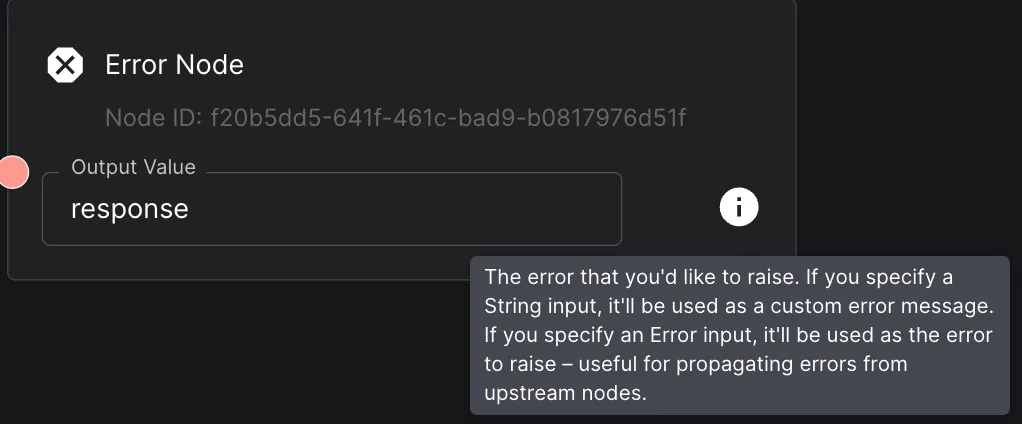
Error Node

Was this page helpful?
Previous

Note Node

Next
Built with