

Node Adornments
What are Node Adornments?
Node Adornments are a powerful feature that allows you to “wrap” individual nodes with additional functionality, such as error handling and retry logic. They act as nodes themselves, treating the node they wrap as a single-node subworkflow.
Node Adornments simplify what would otherwise be complex workflow structures, making your workflows more readable and maintainable.
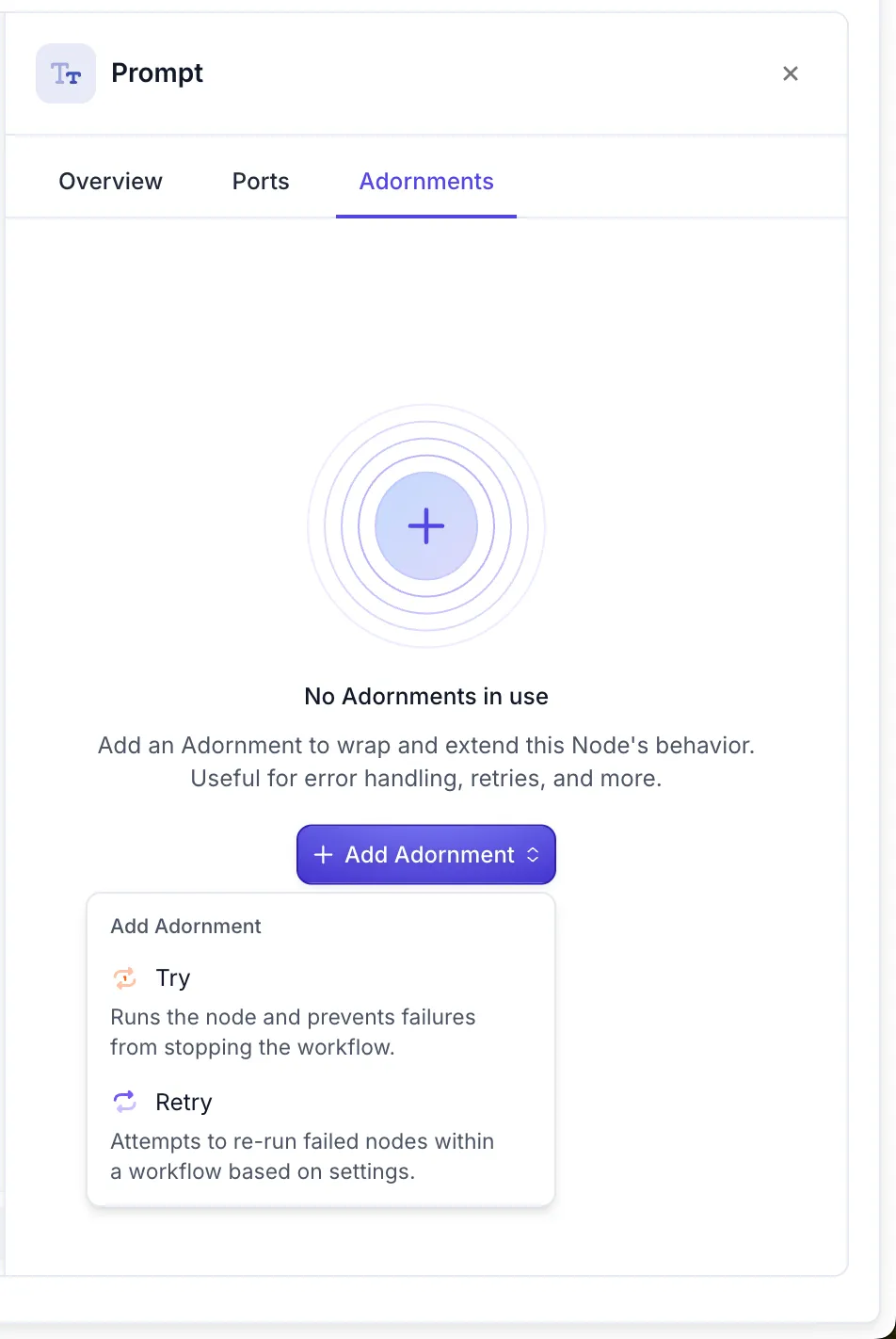
Types of Node Adornments
Vellum currently supports two types of Node Adornments:
Retry Node Adornment
The Retry Node Adornment repeatedly invokes a node until it either succeeds or reaches the maximum number of attempts. This is particularly useful for nodes that interact with external services that might experience temporary failures or rate limits.
Key features:
- Configure the maximum number of retry attempts
- Set delay between retry attempts
- Automatically handle transient errors
Try Node Adornment
The Try Node Adornment attempts to invoke a node and continues with an Error output if it fails. This allows your workflow to gracefully handle errors and continue execution along an alternative path.
Key features:
- Catch errors from the wrapped node
- Continue workflow execution even when errors occur
- Enable fallback logic for error scenarios
How to Use Node Adornments
Node Adornments are accessible in the Node sidepanel after clicking on a node in your workflow:
- Select the node you want to adorn in your workflow
- Open the node’s sidepanel
- Navigate to the “Adornments” section
- Choose the type of adornment you want to apply (Retry or Try)
- Configure the adornment settings as needed
Monitoring Node Adornments
When monitoring workflow executions, Node Adornment invocations appear as if the targeted node was invoked as a single-node subworkflow:
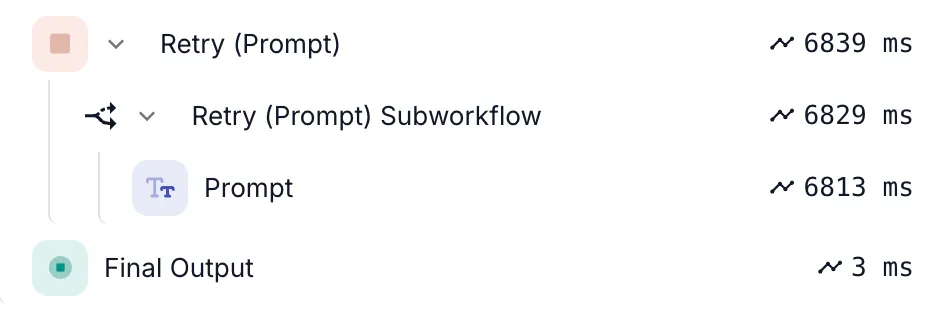
This provides clear visibility into how many times a node was retried or whether it encountered errors during execution.
Common Use Cases
API Resilience
Apply a Retry Node Adornment to API Nodes that call external services which might experience temporary outages or rate limiting.
LLM Error Handling
Use a Retry Node Adornment with Prompt Nodes to automatically retry when encountering non-deterministic LLM errors like timeouts or rate limits.
Graceful Degradation
Apply a Try Node Adornment to provide fallback behavior when a node fails, such as using a cached response or a simpler alternative.
Best Practices
- Be selective: Don’t add adornments to every node. Focus on nodes that interact with external systems or have a higher likelihood of failure.
- Set reasonable retry limits: For Retry Node Adornments, choose a maximum retry count that makes sense for your use case to avoid excessive retries.
- Plan for failures: When using Try Node Adornments, always design a meaningful fallback path for error scenarios.
- Monitor adornment behavior: Regularly review workflow executions to identify nodes that frequently trigger adornments, as these might indicate underlying issues that need addressing.