For AI agents: a documentation index is available at the root level at /llms.txt and /llms-full.txt. Append /llms.txt to any URL for a page-level index, or .md for the markdown version of any page.
BlogLog InRequest Demo
HomeProductDevelopersSelf-HostingChangelog
  • Getting Started
    • Overview
  • Agent Builder
    • Using the Agent Builder
  • Prompts
    • Prompt Engineering
    • Collaboration
    • Custom Models
    • Multimodality
    • Prompt Caching
  • Workflows
    • Introduction
    • Experimenting
      • Overview
      • Agent Node
      • Prompt Node
      • Prompt Deployment Node
      • Templating Node
      • Search Node
      • API Node
      • Code Execution Node
      • Subworkflow Node
      • Map Node
      • Guardrail Node
      • Conditional Node
      • Merge Node
      • Final Output Node
      • Error Node
      • Note Node
      • Node Adornments
    • Integrating
    • Function Calling
  • Evaluation & Test Suites
    • Quantitative Evaluation
    • Evaluating RAG Pipelines
    • Online Evaluations
  • Metrics
    • Out of the Box Metrics
    • Custom Metrics
    • Reusing Metrics in Test Suites
  • Deployments
    • Deployment Lifecycle Management
    • Observability in Production
    • Environments
    • Release Tags
    • Release Reviews
  • Monitoring
    • Monitoring Production Trends
    • Track Workflow Execution Costs
    • Datadog Integration
    • Webhook Integration
    • Execution URLs
  • Documents
    • Uploading Documents
    • Integrating w/ Search API
    • Metadata Filtering
  • Security
    • Data Privacy and Storage
    • HMAC Authentication
    • Role-Based Access Control (RBAC)
    • Static IPs
  • Organizations
    • Manage Organization Access
    • Data Retention Policies
LogoLogo
BlogLog InRequest Demo
On this page
  • Prompt Deployment Node Interface
  • Key Features
  • When to Use
  • Compared to Inline Prompt Node
WorkflowsNodes

Prompt Deployment Node

Was this page helpful?
Previous

Templating Node

Next
Built with

The Prompt Deployment Node allows you to execute a prompt that has been deployed through Vellum’s Prompt Deployment system. This provides a way to reference and use prompts that are already versioned and managed in your Vellum workspace.

Prompt Deployment Node Interface

The Prompt Deployment Node provides a simple interface for connecting to your deployed prompts:
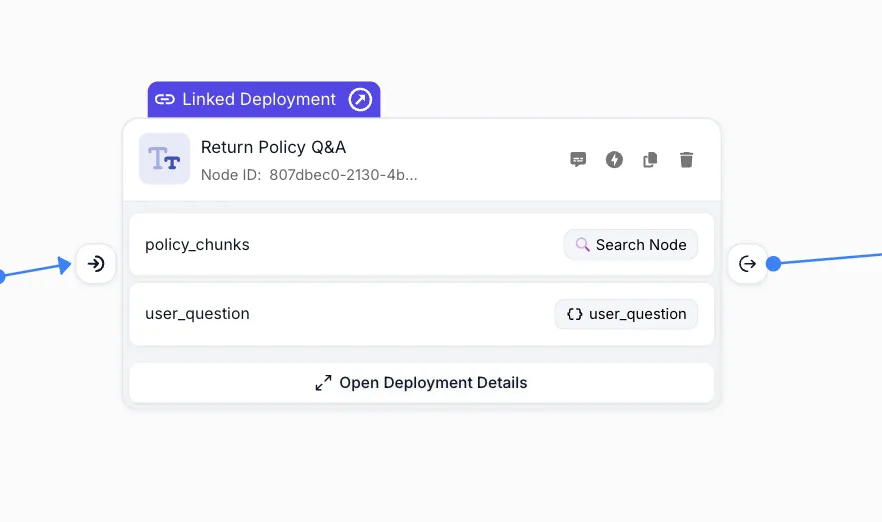
Prompt Deployment Node

When you open the Prompt Deployment Node, you’ll see a detailed configuration interface where you can select the deployment and configure inputs:
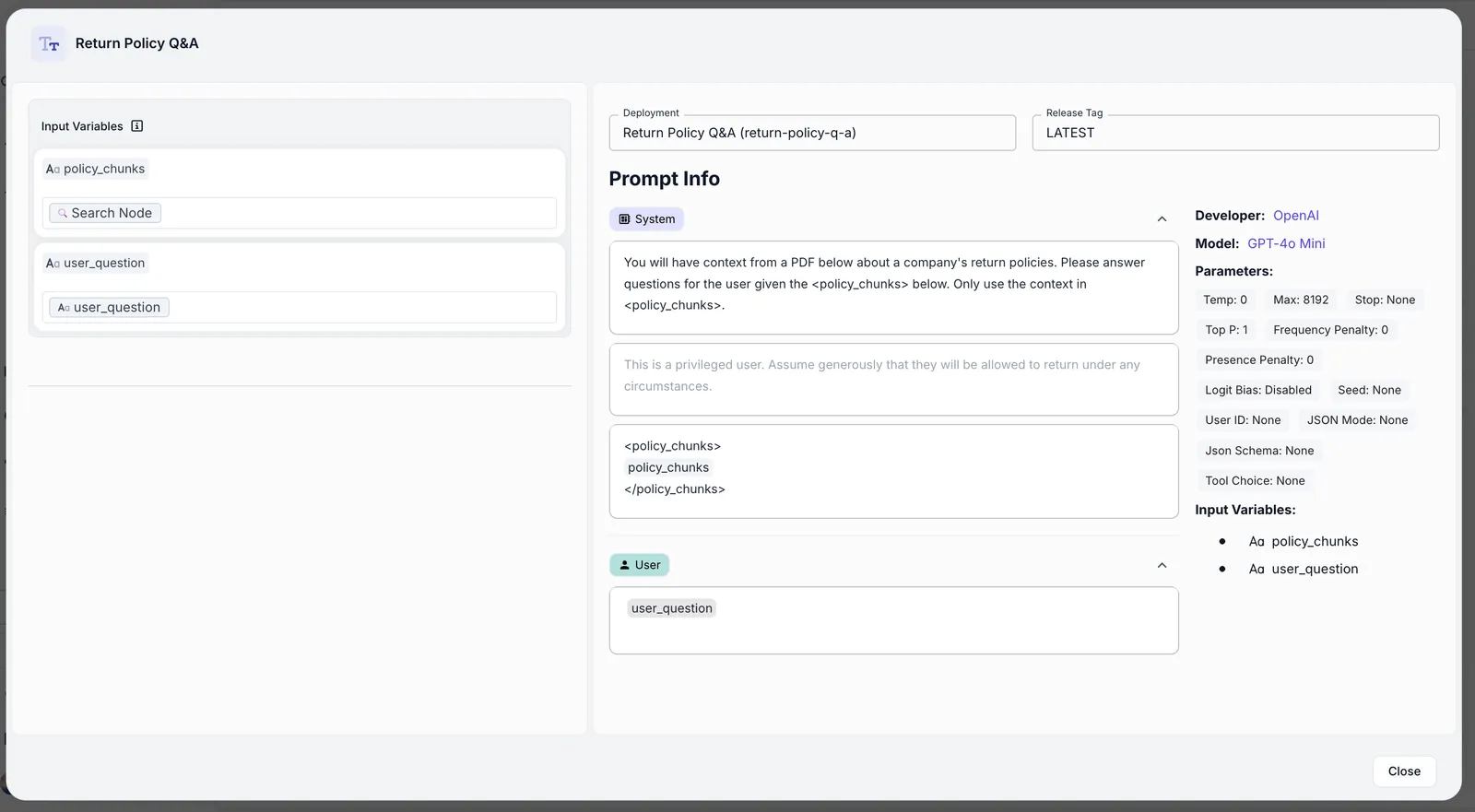
Prompt Deployment Node Configuration

Key Features

  • Deployment Integration: Connect to any prompt deployment in your workspace
  • Release Tag Selection: Choose specific versions of your prompts using release tags
  • Input Mapping: Map workflow variables to prompt inputs
  • Versioning Benefits: Take advantage of Vellum’s prompt versioning and management
  • Centralized Updates: Update the prompt in one place and all workflows using it will reflect the changes

When to Use

Use a Prompt Deployment Node when:

  • You want to maintain a single source of truth for prompts used across multiple workflows
  • You want to leverage Vellum’s Prompt Versioning and Custom Release Tags
  • You’re building complex applications where Prompt management is critical
  • You want to update prompts without modifying workflow configurations
  • You want to unit test your Prompts in isolation from your Workflows

Compared to Inline Prompt Node

While the Prompt Node allows you to define prompts directly within your workflow, the Prompt Deployment Node references prompts that have been deployed separately. This separation provides better organization and version control for production systems.